 Retro Replay Retro Gaming History, Reviews & Emulation
SameBoy
A high-accuracy, open-source Game Boy, Game Boy Color, and Super Game Boy emulator with friendly native interfaces, careful display simulation, and powerful debugging tools.
WHY IT MATTERS
Handheld accuracy without a hostile interface
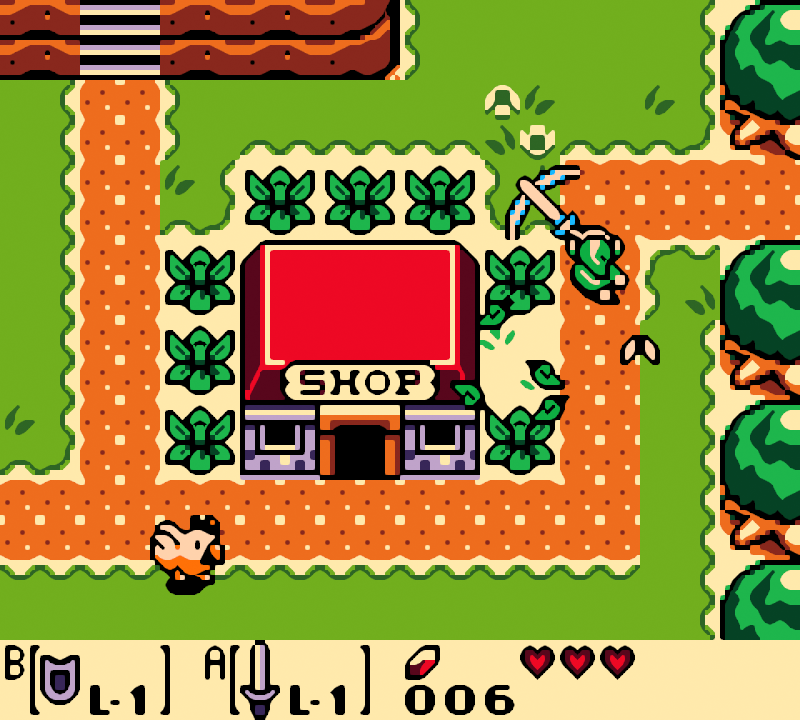
SameBoy documents and reproduces subtle Game Boy hardware behavior while remaining practical for ordinary play. Its open-source boot ROMs, color controls, audio options, and native frontends make accuracy visible and usable.
BEST FOR
Game Boy play, preservation, and research
Choose SameBoy for faithful timing, Super Game Boy support, careful LCD color simulation, BESS-compatible states, link features, or a debugger built for studying how Game Boy software works.

The person behind SameBoy
Lior Halphon and an active contributor community
SameBoy was created by Lior Halphon, known online as LIJI32. The project grew from a portable C emulation core into native Cocoa, SDL, iOS, watchOS, and libretro frontends supported by community testing and contributions.
The same hardware research also feeds SameSuite, a collection of Game Boy and Game Boy Color tests used to document edge cases and compare emulator behavior with real hardware.
Supported systems and capabilities
- Game Boy, Game Boy Pocket, Game Boy Light, and Game Boy Color
- Super Game Boy and Super Game Boy 2 high-level emulation
- macOS, iOS, watchOS, Windows, Unix-like systems, and libretro
- Battery saves and BESS-compatible save states
- Model-specific open-source boot ROMs and accurate game palettes
- Color correction, ambient-light controls, scaling filters, and 96 kHz audio
- Local link cable, infrared, real-time clock, rumble, printer, camera, rewind, and debugger features where supported
History and legacy
SameBoy began in 2015 with a focus on accuracy and readable, portable code. Its growing test coverage helped expose obscure timing, audio, display, accessory, and mapper behaviors that simpler compatibility testing can miss.
The project is now both a polished emulator and a research tool. Its open boot ROM replacements, test suites, cross-emulator BESS state support, and detailed release notes make it useful to players, homebrew developers, preservationists, and emulator authors.
Download and availability
OFFICIAL DOWNLOADS
SameBoy releases
The official site links current builds and explains the native Cocoa, SDL, iOS, watchOS, and libretro versions.
Open official downloads ↗SOURCE CODE
Official development repository
The repository contains the emulation core, frontends, build instructions, issue history, and current development work.
View SameBoy on GitHub ↗SameBoy setup guide
Choose the frontend first: macOS users get the most integrated experience from the Cocoa build. Windows and Unix-like systems normally use the SDL build. RetroArch users can install the SameBoy libretro core, but its menus and file locations belong to RetroArch.
- Download from the official project. Use the stable release for your operating system. On macOS, move SameBoy into Applications so updates and permissions behave normally; on Windows, extract the archive to a permanent folder before opening it.
- Open one legal backup. Use File → Open or drag a personal .gb or .gbc dump into the window. Keep battery-save files beside a backed-up game library and avoid renaming one without its matching save.
- Select the intended hardware model. Leave automatic model detection enabled for ordinary use. Choose DMG for the original green-screen behavior, CGB for Game Boy Color software, or SGB/SGB2 when you specifically want Super Game Boy borders, palettes, and audio behavior.
- Tune the screen before adding filters. Start with SameBoy’s default color correction. Adjust ambient light temperature for original non-backlit Game Boy color, then choose integer scaling or an OmniScale option for a sharp window. Change one display option at a time.
- Map controls and test diagonals. Assign the D-pad, A, B, Start, and Select, then test movement and button combinations in-game. Configure turbo, rewind, or motion features only after normal input works reliably.
- Confirm saving in two ways. Make an in-game battery save, close SameBoy normally, reopen the game, and verify it. Treat save states as convenient snapshots rather than the only copy of progress; SameBoy uses BESS-compatible states but version and core differences can still matter.
- Use model boot ROM options deliberately. SameBoy includes open-source boot ROM replacements, so Nintendo firmware is not required. If you supply a legally dumped original boot ROM, label it by model and keep a copy outside the emulator folder.
- Test special hardware separately. Link cable, infrared, camera, printer, real-time clock, and rumble behavior depend on the title and frontend. Verify a clean single-player setup first, then enable one accessory feature and consult the official feature notes.
ROM reminder: SameBoy does not include commercial Nintendo games. Retro Replay links to emulator software and documentation, not copyrighted game collections.
Sources and further reading
Detailed guides and tutorials
Explore step-by-step guides for SameBoy as they are published.
Use SameBoy on Android
An Android ARM64 Libretro build exists for SameBoy. Run the core through RetroArch for Android; the standalone desktop download and Android core may have different menus and features.
Emulates: Game Boy.
Verified Android core build ↗ · Browse all Android emulators →