 Retro Replay Retro Gaming History, Reviews & Emulation
SNES / SUPER FAMICOM EMULATOR
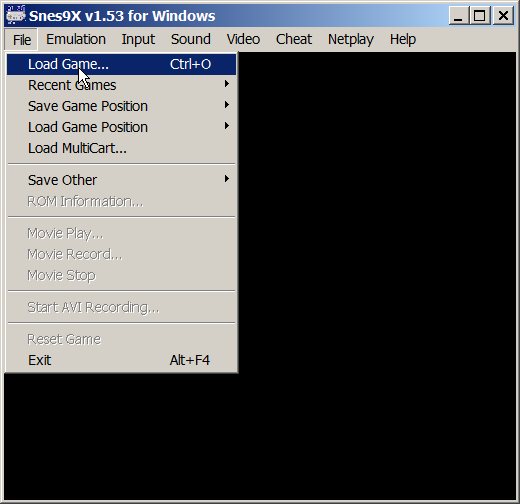
Snes9x
A fast, portable Super Nintendo emulator that balances broad compatibility, approachable controls, and decades of community maintenance.
WHY IT MATTERS
A practical cross-platform standard
Snes9x helped make Super Nintendo emulation portable and accessible across desktop systems while supporting the console’s varied cartridge hardware.
BEST FOR
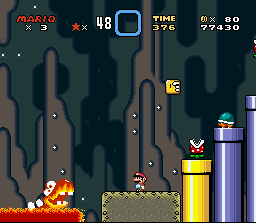
Everyday SNES and Super Famicom play
It is a strong choice for players who want good compatibility, modest hardware demands, controller support, save states, cheats, filters, and recording tools.
The people behind Snes9x
Gary Henderson, Jerremy Koot, and a long-running contributor community
The original project was founded by Gary Henderson and Jerremy Koot through a collaboration between their earlier Snes96 and Snes97 emulators. Their combined work became Snes9x in 1997.
Later development involved many maintainers and port authors. The project’s license records contributors including Matthew Kendora, Peter Bortas, Joel Yliluoma, John Weidman, Brad Jorsch, Nach, zones, and others, while the current repository continues as a community project.
Supported systems and capabilities
- Super Nintendo Entertainment System and Super Famicom software
- Windows, macOS, Linux/Unix, and additional community-maintained ports
- Support for many cartridge enhancement chips and regional timing modes
- Gamepads, keyboard input, SNES Mouse, Super Scope, and multitap options
- SRAM saves, save states, screenshots, cheats, filters, and movie recording
- Standalone desktop builds and a maintained libretro core
History and legacy
Snes9x began when the Snes96 and Snes97 projects joined forces in 1997. The merger combined compatible ideas and created a portable C++ codebase that could travel across operating systems more easily than many highly platform-specific emulators of the period.
Its balance of speed, compatibility, and portability made Snes9x one of the most recognizable SNES emulators. Continued work on timing, sound, enhancement chips, user interfaces, and modern build systems has kept it useful for both longtime users and newcomers.
Download and availability
OFFICIAL RELEASES
Snes9x release downloads
The official GitHub release page provides the current stable packages and release notes. Snes9x 1.63 is the latest stable release listed at publication time.
SOURCE CODE
Official development repository
Source code, issue tracking, nightly-build links, platform directories, documentation, and ongoing project activity are available in the official repository.
Snes9x setup guide
Setup note: Download the build for your operating system, extract it to a dedicated folder, and begin with the default video and audio settings.
- Download an official build. Choose the current stable package for Windows, macOS, or your supported platform from the official releases page.
- Extract the archive. Place Snes9x in a dedicated folder where its configuration, saves, screenshots, and state files are easy to find.
- Configure input. Open the input settings and map the D-pad, A, B, X, Y, L, R, Start, and Select buttons for your controller.
- Start with default display and sound options. Test basic playback before adding shaders, filters, frame skipping, or latency adjustments.
- Load a legal test image. Use homebrew software or a personal cartridge dump to verify video, audio, input, and save behavior.
- Confirm save locations. Note where SRAM and save-state files are stored before moving the emulator or changing versions.
ROM reminder: Snes9x does not include commercial games. Retro Replay links to emulator software and documentation, not copyrighted ROM collections.
Sources and further reading
(HEY! We try not to run ads. So this is a very expensive hobby. Please consider signing up for updates, visiting our forums, or just commenting on something you think is cool.👍)
Detailed guides and tutorials
Explore step-by-step guides for Snes9x as they are published.
Use Snes9x on Android
An Android ARM64 Libretro build exists for Snes9x. Run the core through RetroArch for Android; the standalone desktop download and Android core may have different menus and features.
Emulates: SNES.
Verified Android core build ↗ · Browse all Android emulators →