 Retro Replay Retro Gaming History, Reviews & Emulation
GAME BOY ADVANCE EMULATOR
VisualBoyAdvance-M
VisualBoyAdvance-M (VBA-M) is an actively maintained open-source emulator that continues the VisualBoyAdvance lineage and targets Game Boy Advance, Game Boy Color and Game Boy software on Windows, macOS and Linux.

WHY IT MATTERS
Why use VBA-M?
VBA-M is a direct descendant of the original VisualBoyAdvance project and focuses on cross‑platform compatibility, active development, and a familiar feature set (save states, debugging, controller input, video/audio options). It is appropriate when you need a mature, actively updated GBA/GBC emulator with desktop builds and source available for building on multiple platforms.
BEST FOR
Best for
Users wanting a desktop Game Boy Advance / Game Boy Color emulator with a long history, pre-built binaries for mainstream OSes, and an open-source codebase they can compile or modify.
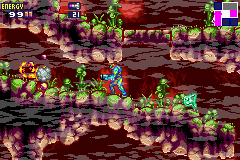
The people behind VisualBoyAdvance-M
History & status
VBA‑M continues the VisualBoyAdvance family; the original VisualBoyAdvance ceased upstream development in the mid‑2000s and multiple forks followed. VBA‑M is presented as the continuing development of that emulator and has an active public repository and release history on GitHub and on its project site. Development activity, issues and releases are managed from the project's GitHub organization and the project publishes binary releases for Windows, macOS and Linux. Exact lineage: VBA‑M is a fork/continuation of the earlier VisualBoyAdvance work rather than a brand‑new emulator rewritten from scratch. Current project status is active (source repository and recent releases present at the official GitHub and project website).
What VisualBoyAdvance-M supports
- Game Boy Advance
- Game Boy Color
- Game Boy
- Windows
- macOS
- Linux
Download and availability
OFFICIAL DOWNLOADS
Get VisualBoyAdvance-M
Official downloads and source are provided from the project's GitHub releases page. Prebuilt ZIP archives are available for Windows and macOS; Linux users can use provided packages or build from source. The project site mirrors release announcements and links to specific release assets.
Get VisualBoyAdvance-M ↗DOCUMENTATION
Official documentation
Read the official configuration, compatibility, and troubleshooting material before changing advanced options.
Read official documentation ↗VisualBoyAdvance-M setup guide
Setup note: This setup guide gives practical, emulator‑specific steps for obtaining and running VisualBoyAdvance‑M on the three main desktop platforms. It references official release assets and the project's documentation/wiki for configuration details. The guide does not include or provide any commercial game files, BIOS/firmware images, or other copyrighted ROM content.
- 1) Verify and obtain the official build or source: Visit the project's official GitHub repository and the releases page to find official binaries or source tarballs. For most users the easiest option is to download the platform ZIP showing as an attached build on a tagged release. If you prefer packages or want the latest commits, clone the repository and build locally following the repository README and the project wiki.
- 2) Windows — using a prebuilt binary: Download the Windows ZIP archive matching your architecture from the GitHub releases page. Extract the ZIP to a folder. No installer is required; run the provided executable. If the OS flags the download, confirm you downloaded from the project's official releases page. Configure input in Options → Joypad, point the emulator to a folder for save files and snapshots, and set Up paths for cheats or BIOS-like files only if you legally own them (the emulator itself does not include commercial firmware).
- 3) macOS — using a release archive: Download the macOS ZIP from the project's releases. Extract and copy the app bundle or binary to your Applications folder or preferred location. On first run macOS may require you to allow the app in Security & Privacy if it was not distributed through the App Store. Consult the project wiki for recommended macOS build options if you prefer compiling from source.
- 4) Linux — use distro packages or build from source: Check first for distribution packages or snaps; some distributions provide community packages that reference official release assets. If building from source, clone the official repository and follow the repository README and wiki build instructions for required dependencies. Building typically requires a C/C++ toolchain and the libraries listed in the project's build documentation. After building, run the generated binary and configure controls and paths in the same way as other platforms.
- 5) Configuration notes (controls, saves, links): Set up input devices in the emulator's Joypad or Controller settings. Configure save locations and enable save states in the main options. For link cable or multiplayer features consult the project's documentation/wiki — multi‑instance linking or networked linking may require additional configuration described in the project's docs. Keep regular backups of SRAM and save states; file formats used by the emulator are documented in the project wiki.
- 6) Building from source — practical tips: When compiling from source, follow the repository's README and wiki pages for exact dependency names and configuration flags. Use the tagged release for a stable build or master/main for the latest changes. If the build system mentions optional features (such as GUI toolkits, libretro cores, or special codecs), enable them only if you understand the additional dependencies. After building, test with a known, legal test ROM or homebrew to confirm operation before loading commercial content you own.
- 7) Safety, licensing and legal reminders: VBA‑M is distributed under an open‑source license as documented in the repository. The emulator does not include commercial ROMs, BIOS, or firmware. Obtain game files and any console firmware only through legal channels; consult local law if unsure.
Software reminder: Refer to the project's README and wiki for exact build dependencies and the releases page for official binaries; when in doubt, download releases directly from the project's official GitHub releases page or the official project site.
Sources and further reading
Detailed guides and tutorials
Explore step-by-step guides for VisualBoyAdvance-M as they are published.