 Retro Replay Retro Gaming History, Reviews & Emulation
MS DOS WINDOWS EMULATOR
XTulator
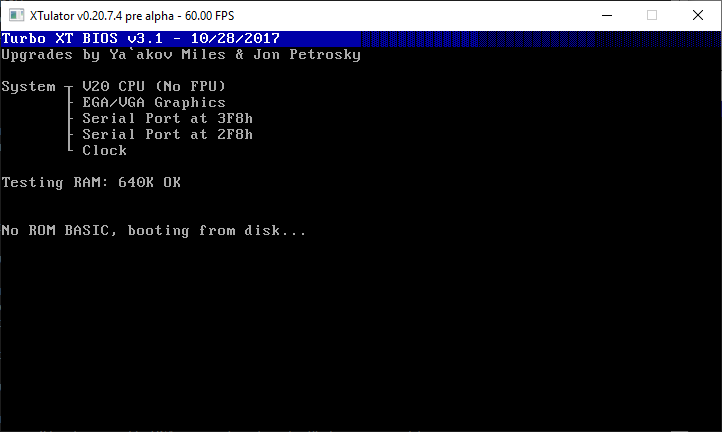
XTulator is a portable, open-source x86 PC emulator targeting Intel 8086/80186-era PCs. It aims to boot MS-DOS/FreeDOS and run period software including Windows 3.0, with emulation of EGA/VGA, Adlib/OPL2 and Sound Blaster 2.0 (partial).
WHY IT MATTERS
Why XTulator matters
XTulator is a focused hobbyist emulator that targets early PC (XT/80186-era) compatibility rather than full modern x86 breadth. It provides a compact codebase useful for testing 16-bit real-mode software, hobby development, and as a historical reference implementation.
BEST FOR
What XTulator does best
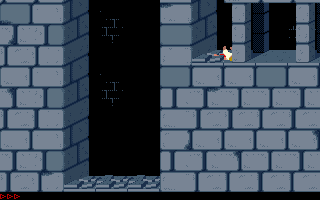
Booting MS-DOS/FreeDOS and running many real-mode DOS programs and Windows 3.0-era software on an emulated 8086/80186-compatible environment, with emulated EGA/VGA video and period audio devices (Adlib/OPL2, Sound Blaster 2.0 support present but not fully feature-complete).
The people behind XTulator
History and status
XTulator is a rewrite of an earlier 8086/8088 emulator by the same author intended to be cleaner and more modular. The repository documents goals such as modular virtual ISA cards, reduced globals, and more accurate chipset and device emulation. The README and project notes state the emulator is still in early/experimental stages; one machine definition (generic_xt) is bootable while other machine/BIOS combinations may fail and are listed as work-in-progress. The project has been used by the author and community testers to boot MS-DOS, FreeDOS and Windows 3.0, and the codebase has been referenced by other emulator projects (for example Faux86-remake).
What XTulator supports
- Runs MS-DOS and FreeDOS disk images (real-mode software)
- Can run Windows 3.0 (real-mode)
- Video: EGA/VGA emulation
- Audio: Adlib/OPL2 (via Nuked OPL), Sound Blaster 2.0 (partial)
- Emulated peripherals: Microsoft-compatible serial mouse, serial modem (TCP), NE2000 Ethernet (pcap)
- Host platforms: Windows (prebuilt), Linux and macOS (source builds documented)
Download and availability
OFFICIAL DOWNLOADS
Get XTulator
Official builds and source are provided from the project's GitHub repository. A precompiled Win32 binary is referenced by the project; source distributions and releases are available on the project's GitHub releases page. The repository includes build instructions for Visual Studio (Windows) and notes for Linux/macOS compilation.
Get XTulator ↗DOCUMENTATION
Official documentation
Read the official configuration, compatibility, and troubleshooting material before changing advanced options.
Read official documentation ↗XTulator setup guide
Setup note: Practical setup notes and a minimal step-by-step guide for getting XTulator running from official sources. The guide assumes you will use the official GitHub repository and follow the README instructions. It does not include or refer to any commercial BIOS/firmware or game/OS images that aren't public-domain or provided by you.
- Get the code or a prebuilt binary: Official repository: clone https://github.com/mikechambers84/XTulator. Check the repository's Releases page for any prebuilt Win32 binaries. If a Windows binary is available in Releases you can use that to try XTulator quickly; otherwise build from source.
- Windows: use the prebuilt or build with Visual Studio: If you downloaded the prebuilt Win32 release, unpack it into a folder. The README references a v0.20.7.15 pre-alpha Win32 build as an example. For building on Windows, the repository includes a Visual Studio solution. Install the SDL2 development libraries and the Npcap SDK (Npcap is required to use NE2000 pcap-based Ethernet emulation). Open the provided XTulator.sln in Visual Studio 2019 (or later if compatible) and build the solution.
- Linux/macOS: build from source (manual compile): The README documents the project compiles on Linux and macOS but lacks an automated configure/make script. You will need libsdl2-dev and libpcap-dev (or equivalent) installed. An example gcc commandline from the README compiles the sources directly: compile the XTulator/*.c and relevant chipset/module files, linking with pthread, math, pcap and SDL2. Expect to run into platform-specific build adjustments; the project author notes Linux/macOS support is tested but occasionally broken.
- Required libraries and runtime dependencies: SDL2 is used for video/input. For NE2000 Ethernet emulation, install Npcap on Windows or the host pcap library on Linux/macOS. Nuked OPL is used for Adlib/OPL2 emulation. The README lists these dependencies and gives package names for Debian-based hosts (libsdl2-dev, libpcap-dev).
- Disk images, BIOS and legal notes: XTulator's repository includes or references a public-domain BIOS for the 'generic_xt' machine that can be used to boot. The README also mentions a sample HDD image containing old shareware used for testing in earlier builds. Commercial OSes, BIOSes, or game ROMs are not included by the project; you must provide legally owned copies of any commercial BIOS/OS or use public-domain/test images. If you need to install a full OS onto a disk image, the README suggests using QEMU or Fake86 to prepare images and then booting them under XTulator while the emulator progresses toward full device emulation.
- Running and common command-line options: XTulator is a command-line driven emulator; use the -h option to list switches and -machine to select machine definitions. The README documents the 'generic_xt' machine as bootable. The Win32 build historically supported changing floppy images on the fly; cross-platform GUI image-changing is noted as planned but not implemented. Typical usage examples are provided in the README and bundled shell/build scripts in the repository.
- Troubleshooting and practical tips: Because XTulator is experimental, expect crashes and incompatibilities with some BIOSes and software. If a BIOS won't boot, the README suggests the chipset implementation may be the cause; try the provided generic_xt machine and the included public-domain BIOS first. For sound and networking, verify SDL2 and pcap/Npcap are installed and accessible. Use small, known-good floppy or hard-disk images for debugging boot problems and consult the repository Issues page for reported problems and fixes.
Software reminder: XTulator's README warns the project is early/experimental; expect limitations. Do not assume full Sound Blaster or modern device compatibility. Provide your own OS and game images, and respect copyright and licensing for any firmware/BIOS you supply.
Sources and further reading
Detailed guides and tutorials
Explore step-by-step guides for XTulator as they are published.