 Retro Replay Retro Gaming History, Reviews & Emulation
SNES EMULATOR
zsnes
ZSNES — Classic Super Nintendo (SNES) emulator; original project began in the late 1990s and a modern, actively maintained fork (xyproto/zsnes) rebuilds and ports that code to modern OSes.
WHY IT MATTERS
Why ZSNES matters
ZSNES was one of the earliest widely used SNES emulators (noted for speed and broad playability in its era). The original project influenced SNES emulation development; contemporary forks aim to make the codebase build and run on modern 64-bit systems while keeping the classic ZSNES experience.
BEST FOR
What this fork offers
The xyproto/zsnes repository is a maintained fork that converts much assembly to C, adds modern build targets, and targets current Linux distributions and other Unix-like systems. It provides build instructions, dependencies, and make targets for multiple architectures and OSes.

The people behind zsnes
History and status
ZSNES originated in 1997 (authors known as zsKnight and _Demo_). The original project source was GPL'ed and published in 2001; official releases continued through the 2000s with the last long-lived official ZSNES release dating to 2007. Because the original code was written largely in 32-bit x86 assembly and needed many patches to build on modern systems, multiple community forks and projects have appeared. The xyproto/zsnes fork on GitHub is an explicit attempt to modernize the code: port 32-bit assembly to C where possible, support 64-bit builds, and make ZSNES compile cleanly on modern Linux, macOS, and other Unix-like platforms. The fork documents goals, current testing (x86_64 Linux and macOS on aarch64 noted), and requirements; it is actively maintained on GitHub.
What zsnes supports
- Linux (x86_64 and other architectures)
- macOS (reported builds on aarch64/macOS)
- FreeBSD
- OpenBSD
- NetBSD
- Windows (build targets present; Windows/MSYS2 support noted)
Download and availability
OFFICIAL DOWNLOADS
Get zsnes
Official maintained fork and releases are available from the project's GitHub repository and its Releases page. The original ZSNES project files and legacy downloads are available from legacy sites and documentation archives but are not recommended for modern systems.
Get zsnes ↗DOCUMENTATION
Official documentation
Read the official configuration, compatibility, and troubleshooting material before changing advanced options.
Read official documentation ↗zsnes setup guide
Setup note: Practical setup notes — this guide assumes you want to run the maintained xyproto/zsnes fork from source or use its published binaries where available. It focuses on the repository's documented requirements and make-based build flow.
- 1) Get the source or a release: Visit the xyproto/zsnes GitHub page and check the Releases tab for prebuilt packages. To build from source, clone the repository (git clone https://github.com/xyproto/zsnes) and switch to the desired tag or branch.
- 2) Install required dependencies: The repository documents these requirements: python3, SDL3, and either PipeWire or libao for audio, plus a modern C compiler (gcc or clang). On Linux you will typically need development packages for SDL3 and standard build tools (make, gcc/clang, pkg-config). On macOS you may need the corresponding libraries via Homebrew or the system package manager.
- 3) Build with make: In the repository root run make. Plain make selects targets for the current OS/CPU. Architecture- or OS-specific targets are available (for example make win_i686 or make win_x86_64). The Makefile and README provide target names and install rules.
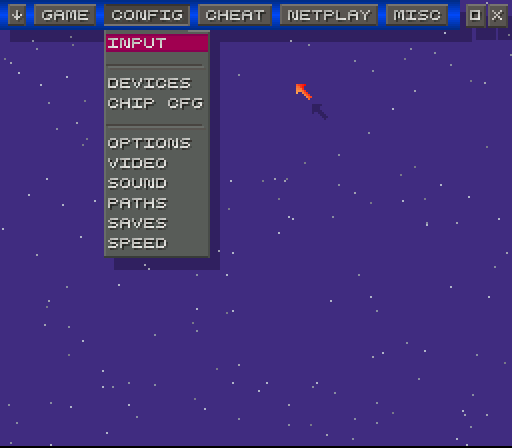
- 4) Run and configure: After building, run the zsnes binary produced in the build directory. First-time runs will use default config files; check the project's doc directory or man pages for configurable options. Configure controllers (keyboard/joystick), video, and audio via the in-emulator UI or configuration files.
- 5) Platform notes: The fork explicitly targets modern Linux distros and has been tested on Arch Linux, Fedora, and Debian 12 on x86_64; macOS aarch64 builds are also mentioned in the repository. Windows is not a primary goal but build targets for MSYS2/Windows are present in the Makefile. If using Windows, prefer MSYS2 or provided binaries rather than attempting to build with native Visual Studio without guidance.
- 6) Netplay, save files, and features: Netplay and other online features are part of the historic ZSNES feature set; the fork notes improving netplay is a long-term goal. Save states, rewind, and cheat features depend on the build and GUI; consult the repository's documentation and doc/ directory for feature-specific configuration and file locations.
Software reminder: ZSNES and forks do not include commercial game ROMs, console firmware, or BIOS files. Obtain any game images or firmware only from legal, licensed sources. Follow local laws when using emulation software.
Sources and further reading
Detailed guides and tutorials
Explore step-by-step guides for zsnes as they are published.