 Retro Replay Retro Gaming History, Reviews & Emulation
Retro Replay Review
Gameplay
The first few minutes have a pleasingly direct rhythm. The full alphabet sits in front of you in uppercase and lowercase, and pressing a letter produces a Peanuts-themed response. There is no complicated setup to push through before a child can make something happen, which matters for the four-to-seven age range. A young player can experiment immediately, while an adult can sit nearby and turn each choice into a quick question about letter names, sounds, or words.
The keyboard angle gives the game more value than a simple alphabet recital. Finding a selected letter turns recognition into a physical action, helping children begin to learn where letters live on a keyboard. That is a useful bridge between knowing an ABC song and actually using a computer. The game’s direct-control format also means mistakes are low-stakes: press another key and see what it does.
Its limitation is also its strength. This is not the sort of program that builds into a larger challenge or asks for sustained mastery; the loop is deliberately simple and repeats its core lesson. Older children will likely exhaust its pull quickly, but that restraint suits beginners. The package’s 10 learning activities and flash cards give a parent or teacher ways to extend the lesson away from the screen, instead of expecting the computer portion to carry everything alone.
Graphics
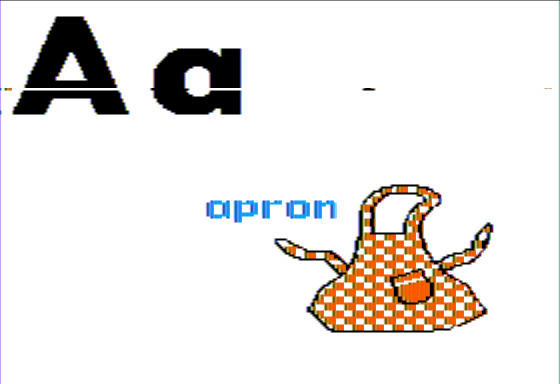
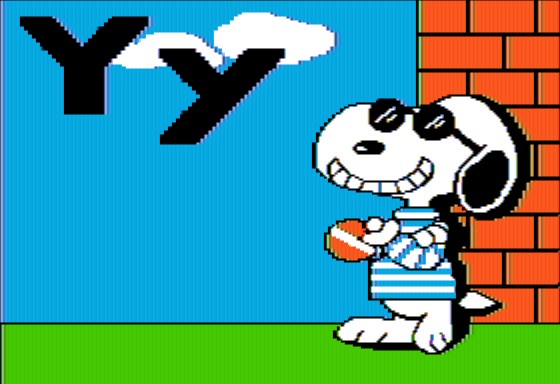
The main screen puts the alphabet front and center, with both capital and lowercase letters visible together. When a key is pressed, the reward is a brief Peanuts character animation tied to an object beginning with that letter—such as Charlie Brown flying a kite for K—accompanied by music. For young fans, seeing familiar characters act out the letter association is more memorable than plain text alone.
Story
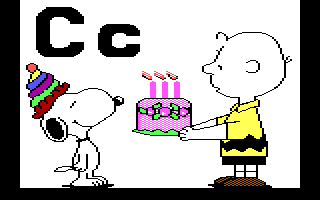
There is no continuous Charlie Brown story to follow here. Instead, the Peanuts license is used in short, letter-by-letter scenes, each built around an object or idea associated with the chosen character of the alphabet.
That makes the theme functional rather than decorative. Charlie Brown flying a kite is not there to launch an adventure; it gives K a concrete image a child can recall. The connection is simple enough that it will land with the intended audience.
Do not come to it for the gentle melancholy or comic-strip relationships that make Peanuts memorable elsewhere. The characters serve the lesson first. In this case, that is the correct call: a preschool alphabet activity benefits more from quick, familiar associations than from a plot that interrupts the practice.
Overall Experience
Charlie Brown’s ABCs is narrowly made, but it understands its audience. You get a calm alphabet-and-keyboard introduction with immediate audiovisual feedback, familiar faces, and a structure that lets a child poke around without being overwhelmed.
The payoff depends on where the child is in learning. If they already type comfortably and know their letters, the material will feel too basic. If they are just beginning to identify uppercase and lowercase forms or are curious about pressing keys, the repetition is exactly what helps the lesson start to stick.
Parents, teachers, and collectors of early home-computer learning software will find the most to appreciate. It is not deep enough to recommend as a stand-alone game for older kids, but as a focused first keyboard exercise with Peanuts charm, it earns its place.


Reviews
There are no reviews yet.