 Retro Replay Retro Gaming History, Reviews & Emulation
Retro Replay Review
Gameplay
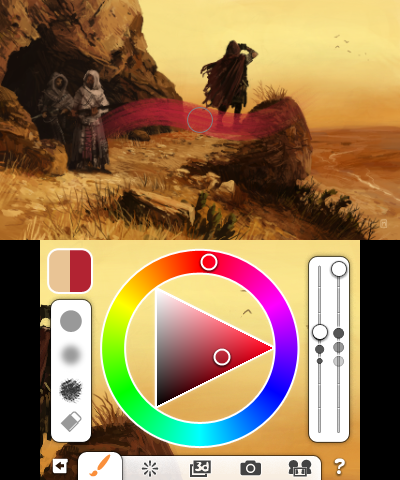
Colors! 3D gets you drawing almost immediately, which is exactly what a handheld art app needs to do. You choose a brush style, adjust point size and opacity, pick a color, and put marks on the canvas. That directness makes the first session pleasantly low-pressure: you can doodle, test colors, or begin a more serious piece without wrestling with an intimidating wall of options.
Once you have spent a little time with it, the deeper tools start to matter. Layers let you separate parts of an image instead of committing every line to the same surface, while the eyedropper makes it easy to pull a color back out of your own work. The palette’s huge range also means you are not boxed into a few preset shades. It is a simple toolkit, but it covers the essentials well enough to reward patience and repeat practice.
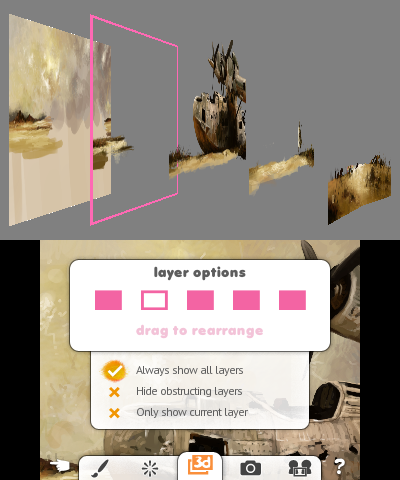
The 3D canvas is the feature that gives this version its particular charm. Multi-layered paintings can be viewed with depth on the 3DS screen, turning an ordinary drawing session into something more tactile and personal. It will not magically make a rough sketch look polished, of course, but it offers a satisfying extra dimension for artists who want to experiment with foreground and background placement.
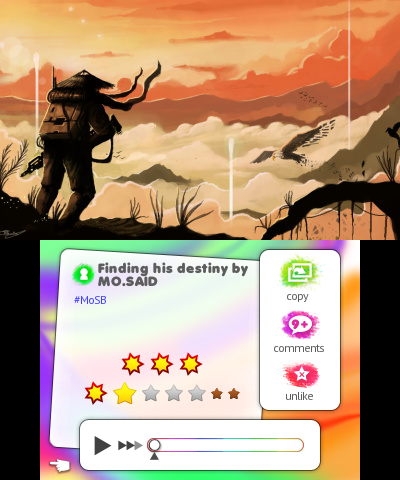
Playback is more than a neat victory lap after you finish a picture. Watching a work unfold stroke by stroke is useful when you want to understand your own choices, and it becomes even more interesting when studying paintings from other people. Being able to stop at any point in that process and branch into a new painting invites experimentation rather than making every early decision feel permanent.

Graphics
Your artwork is the star here. The 3DS’s stereoscopic screen gives layered paintings visible depth, so separate elements can sit in front of or behind one another instead of reading as a completely flat image. The brush, color, opacity, and layer tools are there to stay out of the way and let the canvas hold your attention.
Story
Colors! 3D has no authored campaign or cast of characters to carry you along. The closest thing it has to a story is the one recorded in each painting’s playback: the first loose lines, the changes of mind, the details added later, and the finished image at the end.
That may sound slight, but it suits the app. A playback can reveal the decisions behind an image in a way a finished upload cannot, making other artists’ work feel less mysterious and your own progress easier to notice. If you enjoy learning by watching process rather than reading a formal tutorial, this is one of the most valuable parts of the package.
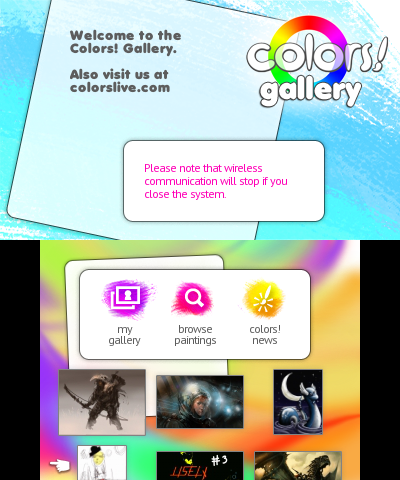
The community side adds a gentle sense of momentum. You can upload work, browse the gallery, compare approaches, and take part in Weekly Challenges. These are not narrative goals, but they give you prompts and reasons to return when a blank canvas feels a little too open-ended.
Overall Experience
Colors! 3D is an unusually inviting creative tool because it respects both the quick sketch and the long-term project. You can open it for a few minutes to play with a brush or color, then gradually grow into layers, depth, playback, and more deliberate composition. That gradual ramp is its biggest strength.
Real-time Wi-Fi collaboration is a lovely bonus for drawing with a friend, while paintovers and overlays let you use a 3DS camera photo as a compositional aid. Neither replaces the satisfaction of developing your own drawing skills, but both can kick-start an idea when you are staring at an empty canvas.
The payoff depends on what you bring to it. If you want traditional game-like objectives and constant external rewards, the open-ended nature may leave you cold. But if you enjoy making art, learning from other people’s process, and carrying a capable little digital sketchbook in your pocket, Colors! 3D earns its strong reputation. It is approachable on day one and has enough room to grow with you.


Reviews
There are no reviews yet.