 Retro Replay Retro Gaming History, Reviews & Emulation
GAME BOY ADVANCE EMULATOR
crab
Crab is an open-source emulator for Game Boy, Game Boy Color and Game Boy Advance written in the Crystal programming language. GB/GBC emulation in Crab aims for high accuracy; GBA support is playable for many games but some PPU and timing features remain incomplete.

WHY IT MATTERS
Why Crab exists
Crab is a hobbyist/emudev project by Matthew Beck that consolidates Game Boy, Game Boy Color and Game Boy Advance emulation into a single Crystal codebase. It reuses work from the author's earlier CryBoy project and leverages community documentation (Pan Docs, GBATEK, Tonc) and tests to improve accuracy.
BEST FOR
Notable strengths
Accurate GB/GBC implementation with blargg/mooneye test compliance and GLSL shader support; a unified frontend with configurable controls and controller support; passing many ARM/CPU validation suites for the GBA CPU core.
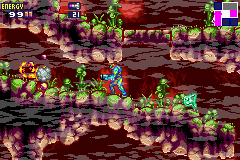
The people behind crab
History and status
The repository is actively maintained on GitHub by Matthew Beck and contains several hundred commits. The project began as a continuation/merge of the author's CryBoy work into a single codebase. The README and code show substantial progress: GB/GBC emulation is described as very accurate (passing many classic test suites), while GBA emulation is described as playable in many games but still missing or incomplete in areas such as some PPU features (mosaic, some blending cleanup), DMA/prefetch/timing, and a complete debugger. The repo includes a shipped replacement BIOS file (Cult of GBA BIOS) for convenience but the README explicitly notes the official BIOS is always most accurate. Issues and remaining work are documented in the README. The project is not a drop-in replacement for mature GBA emulators for edge-case compatibility and timing-sensitive titles, but it is suitable for experimentation, learning, and running many games.
What crab supports
- Game Boy (DMG)
- Game Boy Color (GBC)
- Game Boy Advance (GBA) — playable for many games; some PPU and timing features incomplete
- Controllers (SDL2)
- Save files compatible with other emulators (GB/GBC)
- Flash / SRAM / EEPROM storage (GBA)
Download and availability
OFFICIAL DOWNLOADS
Get crab
Official source and release artifacts are provided from the project's GitHub repository. Pre-built release assets (when present) are available on the repository's Releases page. Building from source requires the Crystal compiler and SDL2; the repository provides build instructions in the README.
Get crab ↗DOCUMENTATION
Official documentation
Read the official configuration, compatibility, and troubleshooting material before changing advanced options.
Read official documentation ↗crab setup guide
Setup note: Below are practical setup and usage steps based on the project's documentation (build/run instructions are taken from the project's README). This guide assumes you will build and run the official project from its GitHub source. Do not expect the emulator to include commercial games, official BIOS dumps, or other copyrighted firmware.
- 1) Get the source: Clone the official repository from GitHub (mattrbeck/crab). If you prefer prebuilt artifacts, check the repository's Releases page for binary attachments.
- 2) Install dependencies: Install the Crystal compiler (crystal-lang) and SDL2 on your platform. On macOS use Homebrew (brew install crystal sdl2) or your preferred package manager; on Linux use your distribution's packages. The README indicates cmake may be needed on macOS for some setups.
- 3) Build the emulator: From the repository root run shards build –release. The README states the release build places the executable at bin/crab. Crystal's release compilation can be slow; allow time for the build to complete.
- 4) BIOS and ROM usage: You may run the built binary without arguments to open the frontend, or pass command-line arguments to load a BIOS and a ROM: bin/crab /path/to/bios /path/to/rom. The project ships a community replacement BIOS (Cult of GBA BIOS) in the repository for convenience; the README notes that while this can be used for many games, the official GBA BIOS (which is not included) is the most accurate and should be used if precision is required. Do not expect commercial BIOSes or games to be provided by the project.
- 5) Runtime options and controls: Crab's frontend lets you open ROMs, select BIOS, rebind keys and configure controllers. The README documents an experimental FIFO renderer enabled with the –fifo flag (useful for some GB titles), and GLSL shaders are available for color reproduction. Keybindings are configurable through the UI.
- 6) Known limitations and testing: GB/GBC is well-tested (blargg/mooneye tests are referenced); GBA passes many CPU validation suites but still has issues listed in the README: missing/partial PPU features (mosaic, blending cleanup), cycle/DMA/prefetch/timing inaccuracies, and some storage/RTC edge cases. Use this emulator for experimentation; for maximum compatibility use established mature GBA emulators.
- 7) Contributing and debugging: The repository includes contribution guidance. If you plan to work on the project, review the spec and tests directory in the repo, run the provided test suites, and open issues or pull requests via the project's GitHub page.
Software reminder: You must provide your own game ROMs and any official BIOS files you need; the project README notes a community BIOS is included but recommends using your own official BIOS for highest accuracy.
Sources and further reading
Detailed guides and tutorials
Explore step-by-step guides for crab as they are published.