 Retro Replay Retro Gaming History, Reviews & Emulation
NINTENDO 64 EMULATOR
DotN64
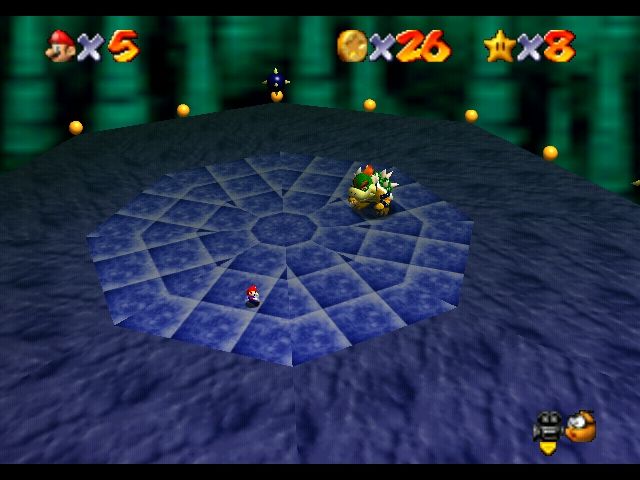
DotN64 (.N⁶⁴) is a work-in-progress Nintendo 64 emulator written in C#/.NET that aims to be a readable, cross-platform learning implementation. The project runs game code and services audio/video interrupts but remains under active development.
WHY IT MATTERS
Why DotN64 exists
The author created DotN64 as a learning project to explore low-level emulation concepts in C#/.NET while striving for clear, elegant source code and acceptable performance.
BEST FOR
What DotN64 currently does
According to the repository, game code is executed and audio/video interrupts are serviced. The project is actively developed but is not advertised as a complete, production-ready emulator.

The people behind DotN64
Development & goals
DotN64's README describes the project as a work-in-progress emulator started after the author followed Ferris Makes Emulators. The short-term goal is to implement angrylion's RDP core; longer-term goals include supporting expansion devices such as the 64DD. The repository shows active commits and development files (C# solution, SDL2 binding submodule). The README explicitly labels the project experimental and learning-focused.
What DotN64 supports
- Nintendo 64 (emulation target)
- Cross-platform where .NET/Mono and SDL2 are available (Windows, Linux, macOS are implied by requirements and repository topics)
- Planned: expansion devices (64DD) — stated as a goal, not yet implemented
- Audio and video interrupt handling (development status)
Download and availability
OFFICIAL DOWNLOADS
Get DotN64
Official downloads (source and any release assets) are published on the project's GitHub releases page. Building from source is the primary distribution method.
Get DotN64 ↗DOCUMENTATION
Official documentation
Read the official configuration, compatibility, and troubleshooting material before changing advanced options.
Read official documentation ↗DotN64 setup guide
Setup note: DotN64 is designed to be built and run from source. It requires a .NET runtime or Mono and SDL2. The project README and documentation pages are the authoritative setup references.
- 1) Get the source or releases: Visit the project's GitHub repository to clone the source or check the Releases page for binary assets. The repository URL and releases page are the project's official distribution points.
- 2) Install prerequisites: Install a supported Common Language Runtime: either the .NET runtime (dotnet) or Mono. Install SDL2 for your platform (development headers/redistributable library) because the project uses SDL2 for input/video/audio. Exact package names vary by OS (e.g., libsdl2-dev on Debian/Ubuntu, SDL2 via Homebrew on macOS, or SDL2 runtime on Windows).
- 3) Build the project: Open the DotN64.sln with an IDE that supports .NET (Visual Studio, Rider) or use dotnet/mono build tools from the command line. Ensure any submodules (SDL2-CS) are present if building from source; run git submodule update –init if needed. Follow any build scripts in the repository (.ci-build.sh or provided instructions).
- 4) Provide game ROMs and required firmware yourself: DotN64 does not include commercial game ROMs, console firmware, or BIOS files. If a particular ROM or firmware is required, obtain and place them according to the project's documentation. Respect copyright and licensing for any files you provide.
- 5) Run and test: Launch the built executable. Because DotN64 is a development-stage emulator, expect incomplete compatibility and possible crashes. Use the project's issue tracker on GitHub to report reproducible problems and check documentation pages for runtime options.
- 6) Consult project documentation: The repository README links to the project's documentation site for additional guidance. Use that documentation and the GitHub Issues/Activity pages for the latest status and usage notes.
Software reminder: DotN64 is experimental. Do not expect full compatibility with commercial N64 titles; build from source if you want the latest changes. Obtain ROMs/firmware legally and separately.
Sources and further reading
Detailed guides and tutorials
Explore step-by-step guides for DotN64 as they are published.