 Retro Replay Retro Gaming History, Reviews & Emulation
PLAYSTATION VITA EMULATOR
Vita3K
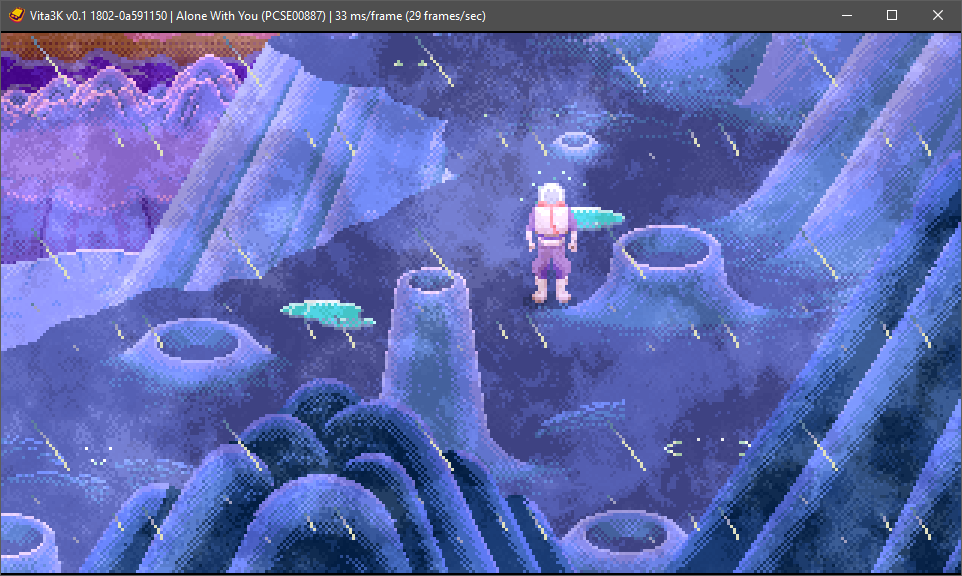
Vita3K is an experimental, open-source PlayStation Vita emulator that runs on Windows, Linux, macOS and Android. The project is developed in C++ with builds and documentation hosted from the official site and a public GitHub repository. Vita3K focuses on research and progressive compatibility rather than being a finished, fully compatible emulator.
WHY IT MATTERS
Why Vita3K exists
Vita3K was created to reverse-engineer and emulate the PlayStation Vita platform on desktops and Android devices. It aims to provide a development and research platform for improving compatibility with real Vita software while remaining an open, community-driven project.
BEST FOR
What Vita3K is best for
Running homebrew, testing compatibility of specific Vita titles, and experimenting with Vita internals on modern platforms. Vita3K is experimental: some commercial games may run partially, some not at all. It is not a guaranteed solution for playing every Vita title.
The people behind Vita3K
Project history and status
Vita3K is a publicly developed emulator with an active repository and documentation hosted on vita3k.org and GitHub. The project is maintained by contributors through the public repository and publishes nightly and development builds. The codebase and Android support are part of the same project tree; community forks and Android build variants also exist. Because development is ongoing and progress is incremental, compatibility and available platform builds change over time. For the most current status check the official site and the repository activity before relying on any specific compatibility claim.
What Vita3K supports
- Windows
- Linux (AppImage/nightly builds)
- macOS
- Android
Download and availability
OFFICIAL DOWNLOADS
Get Vita3K
Official downloads and quickstart instructions are provided on the Vita3K website's Quickstart/Download pages. The site links to nightly builds and provides guidance on prerequisites and how to prepare game content for use with the emulator.
Get Vita3K ↗DOCUMENTATION
Official documentation
Read the official configuration, compatibility, and troubleshooting material before changing advanced options.
Read official documentation ↗Vita3K setup guide
Setup note: This setup guide follows the official Vita3K quickstart and repository guidance. It focuses on verifying prerequisites, obtaining an official build, preparing PlayStation Vita content (legal dump steps are not provided), and running the emulator on each supported platform.
- 1) Verify project sources and pick the official build: Use the official Vita3K site (vita3k.org) and the official GitHub repository (github.com/Vita3K/Vita3K) as your authoritative sources. The Quickstart/Download pages on the official site point to available builds (Windows ZIPs, Linux AppImage/nightlies, macOS builds, and Android packages where available). Prefer these official builds or build from the GitHub sources if you need a custom configuration.
- 2) Check prerequisites per platform: Windows: install the Visual C++ Redistributable if the executable reports a missing VCRUNTIME or related DLL (the Quickstart mentions Visual C++ 2015-2022). Linux: use the provided AppImage or follow build instructions in the repository; AppImage is the simplest route for many distributions. macOS: follow the download instructions on the site or build from source using the repository build docs. Android: use the official Android builds linked from the site or the repo; community forks exist but check the official repo for the current recommended Android path.
- 3) Obtain and prepare Vita content (legal reminder): Vita3K requires dumped Vita software and system files you legally own. The project and official docs do not provide commercial games, firmware, or keys. The Quickstart describes installing dumped title packages (.vpk packaging is mentioned as an optional step) and how Vita3K expects content to be arranged, but it does not provide copyrighted content.
- 4) Install and run the emulator: Windows: extract the official ZIP release from the site or GitHub and run the executable; ensure required runtime redistributables are installed. Linux: make the AppImage executable (chmod +x) and run, or follow the repository usage/install scripts. macOS: follow the instructions on the official download page or the repository build notes. Android: install the official APK build if available; follow the official Quickstart notes for any additional configuration steps specific to Android devices.
- 5) Configure Vita3K and add games: Use the emulator's File menu to install or load dumped content as described on the Quickstart page. The Vita3K UI and configuration options are documented in the project's wiki and FAQ; these pages explain paths, plugin/config options, and runtime flags. If a title does not run, consult the compatibility list in the repository issues/wiki and consider enabling developer logging for troubleshooting.
- 6) Advanced: build from source: If you need a custom build or the latest fixes, clone the official GitHub repository (use the recursive option if submodules are used) and follow the repository's building instructions (building.md / wiki pages). Building requires development toolchains appropriate to your platform; the repo's build docs list dependencies and steps.
- 7) Keep current and report issues responsibly: Check the official site and GitHub for nightly builds, release notes, and open issues. When reporting issues, follow the repository's issue templates and include logs, platform, Vita3K version, and steps to reproduce. Respect the project's policy about not sharing copyrighted game files in public reports.
Software reminder: Vita3K does not include commercial games, firmware, or private keys. You must legally obtain and dump any required game files or system files yourself. Follow local laws and the project's guidance when preparing content.
Sources and further reading
Detailed guides and tutorials
Explore step-by-step guides for Vita3K as they are published.
Use Vita3K on Android
Vita3K has an official Android app. Use the project’s own download page for the current build and setup instructions.
Emulates: PlayStation Vita.
Official Android project page ↗ · Browse all Android emulators →