 Retro Replay Retro Gaming History, Reviews & Emulation
Retro Replay Review
Gameplay
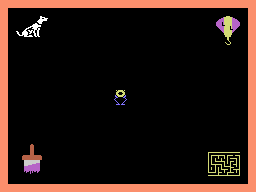
Learning with Leeper has the straightforward rhythm you want from an early-learning game: choose an activity, understand the task in a glance, then start making decisions. You move Leeper to one of four icons and press the fire button, which gives the package a small sense of exploration before it settles into its lessons. That bit of character goes a long way for a child who might not yet care about a worksheet full of numbers or letters.
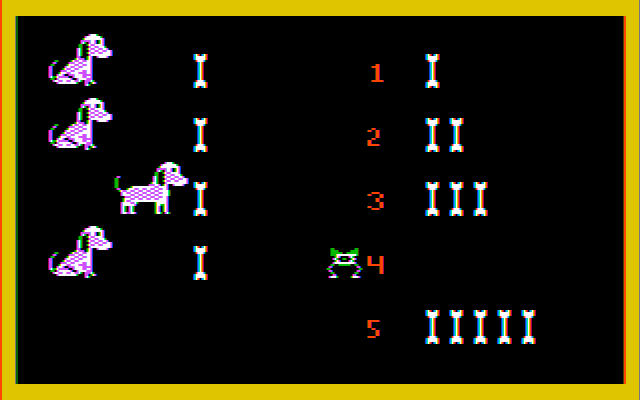
The first two games do the most useful teaching. Counting the dogs and selecting the matching number of bones is a clean number-recognition exercise, while the broader matching activity can ask you to pair letters, shapes, people, or three-letter words with the example on the platform. Better still, incorrect answers cause the right one to flash. That makes trial and error productive rather than punitive, and it lets you sit beside a child and explain the answer without the game simply shutting the attempt down.
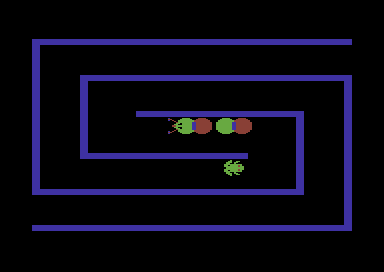
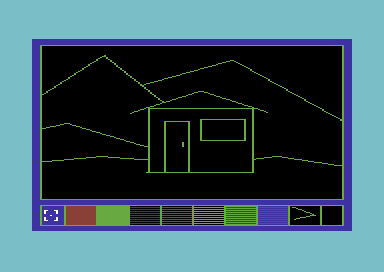
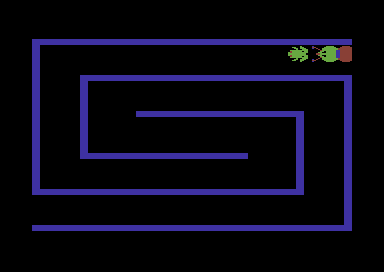
The maze is the liveliest change of pace. A caterpillar assists you through layouts that are randomly generated, so it avoids feeling like a single route learned by rote. The painting activity is quieter, asking you to color pictures such as a house, mountains, and a human figure. Neither is especially deep, but together they break up the matching drills and give a young child a reason to come back after the initial novelty of counting has worn off.
Adults should go in with the right goal: this is short-form practice, not a game built to hold attention for an afternoon. The repetition can set in quickly if you are older or already comfortable with the material. For a preschooler, though, its direct feedback and quick switches between activities are a sensible fit.
Graphics
The pictures are built around clear educational objects: dogs and bones for counting, individual letters and shapes for matching, and simple paintable scenes including a house, mountains, and a person. Leeper gives the activity selection a recognizable cartoon guide, while the platform-based matching screen keeps the item to find separate from the choices below it.
Story
There is no long tale pushing you from one activity to the next. Leeper is more of a familiar host than a character with an arc, leading you into counting, matching, mazes, and painting.
That light framing suits the material. A preschool game does not need to interrupt a number exercise with lots of explanation, and Learning with Leeper stays focused on the next small task.
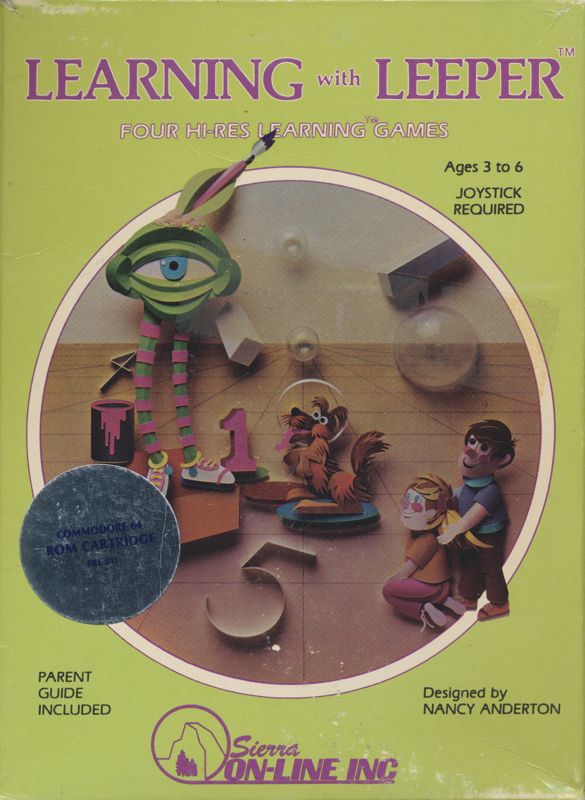
The mascot also has roots in Sierra’s earlier Lunar Leeper, where Leepers were hazards on a planetary rescue mission. You can find the game-specific release history in this Learning with Leeper overview, but here the character is used for a much gentler purpose.
Overall Experience
Learning with Leeper succeeds most when you treat it as a friendly set of early exercises rather than a miniature adventure. The immediate correction in its matching games is genuinely thoughtful, and the random mazes add a little unpredictability that the more static lessons lack.
Its limits are equally clear. The activities are simple, the paint section is basic, and the game does not have much to offer once the intended skills are familiar. That is not a flaw for its youngest audience; it is a reminder that this was designed for first encounters with counting, shapes, letters, and short words.
Give it a chance if you are setting up a very young child with an old computer or console and want something calm, understandable, and forgiving. For retro-game curiosity, it is a pleasant snapshot of Sierra turning an arcade mascot into a patient learning companion.

Reviews
There are no reviews yet.