 Retro Replay Retro Gaming History, Reviews & Emulation
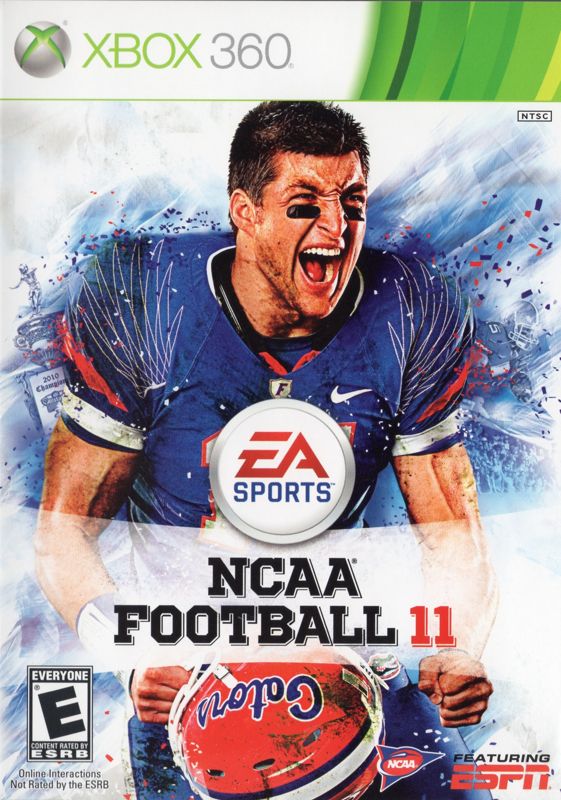
Retro Replay Review
Gameplay
The first few drives make NCAA Football 11’s priorities clear: this is a college game that wants you to feel the difference between hitting a crease at speed and trying to cut too sharply into traffic. Locomotion and Pro-Tak put more emphasis on momentum and physical contact, so running backs do not simply pivot with video-game neatness. When you line up a run, press the correct lane, and use the right stick for a well-timed juke, spin, or stiff-arm, the result has a satisfying sense of commitment.
That same commitment can be frustrating when your instincts come from more immediate, arcade-like football. You cannot expect every move to erase a defender, and a bad angle can kill a promising carry. Still, the controls reward practice rather than random stick flicking. Once the pace clicks, you start looking ahead to set up defenders instead of reacting at the last second, which makes successful runs feel earned.
The improved AI is another meaningful upgrade. Defenses carry out assignments more effectively, while offenses can work with new routes and ideas such as double-blocking. That does not turn every down into a chess match, but it does make the playbook worth learning. If you enjoy calling plays and seeing a plan develop, NCAA Football 11 has more to offer than a quick exhibition fix.
Dynasty is where the long-term hook lives. You can manage all aspects of it online and follow your team’s performance, while Team Builder lets you create a school online down to uniform colors and an on-field logo, then share it publicly or privately. For a fan who has always wanted to put a homemade program into the college landscape, that is a terrific reason to keep coming back. The catch is that the online suite uses EA’s Online Pass requirement, so access depends on having the necessary code.
Graphics
The strongest pictures are the college-specific ones: stadiums, mascots, and team rituals help individual schools look and feel distinct. The ESPN broadcast package adds on-screen graphics, fly-ins, and replays, giving games the familiar rhythm of a televised Saturday matchup.
Improved lighting across on-field conditions also helps the action look more polished. The broadcast framing is especially welcome after a big play, when replays give a good look at the run, tackle, or pass that changed the drive.
Story
NCAA Football 11 does not need a scripted tale to create a reason to care about results. Its story comes from taking control of a school, playing through Dynasty, and watching a season’s performance become the record of your decisions. A close win or a bad loss matters more when it belongs to the program you have chosen to lead.
The game leans hard into the rituals and identities surrounding college football. Playbooks, traditional strengths, tendencies, stadium details, mascots, and locker-room rituals give different schools their own flavor. That specificity makes it easier to imagine each matchup as more than two sets of ratings colliding on a field.
StoryBuilder extends that season-to-season scrapbook feeling by letting you package game clips, shots, and results into news stories for sharing online. It is a neat fit for anyone who likes commemorating a great game or building a running record of a Dynasty, rather than letting memorable moments disappear after the final whistle.
Overall Experience
NCAA Football 11 is a confident college-football package because its atmosphere and on-field changes reinforce each other. The ESPN-style commentary from Kirk Herbstreit, Brad Nessler, and Erin Andrews gives the game-day flow some energy, but it would be empty decoration without the more deliberate running and tackling underneath. Here, the broadcast feel has games worth talking about.
Its best quality is that it respects why college football fans attach themselves to particular schools. Rather than treating 120 teams as interchangeable uniforms, it builds around their tendencies, playbooks, environments, and traditions. That makes choosing a program feel personal, whether you are jumping into a single game or settling in for Dynasty.
You should give it a chance if you want football that asks for patience with the ball and rewards you for recognizing space, momentum, and assignments. The learning curve is most noticeable on the ground, where impatient cuts and poorly timed moves can get punished. Stick with it through that adjustment, though, and the payoff is a more convincing game of football than one built entirely around instant highlights.
As a complete package, it earns its reputation. NCAA Football 11 combines a strong college atmosphere, worthwhile physics-driven gameplay changes, and deep team-creation and online-sharing tools into a game that remains easy to recommend to fans of the sport.


Reviews
There are no reviews yet.