 Retro Replay Retro Gaming History, Reviews & Emulation
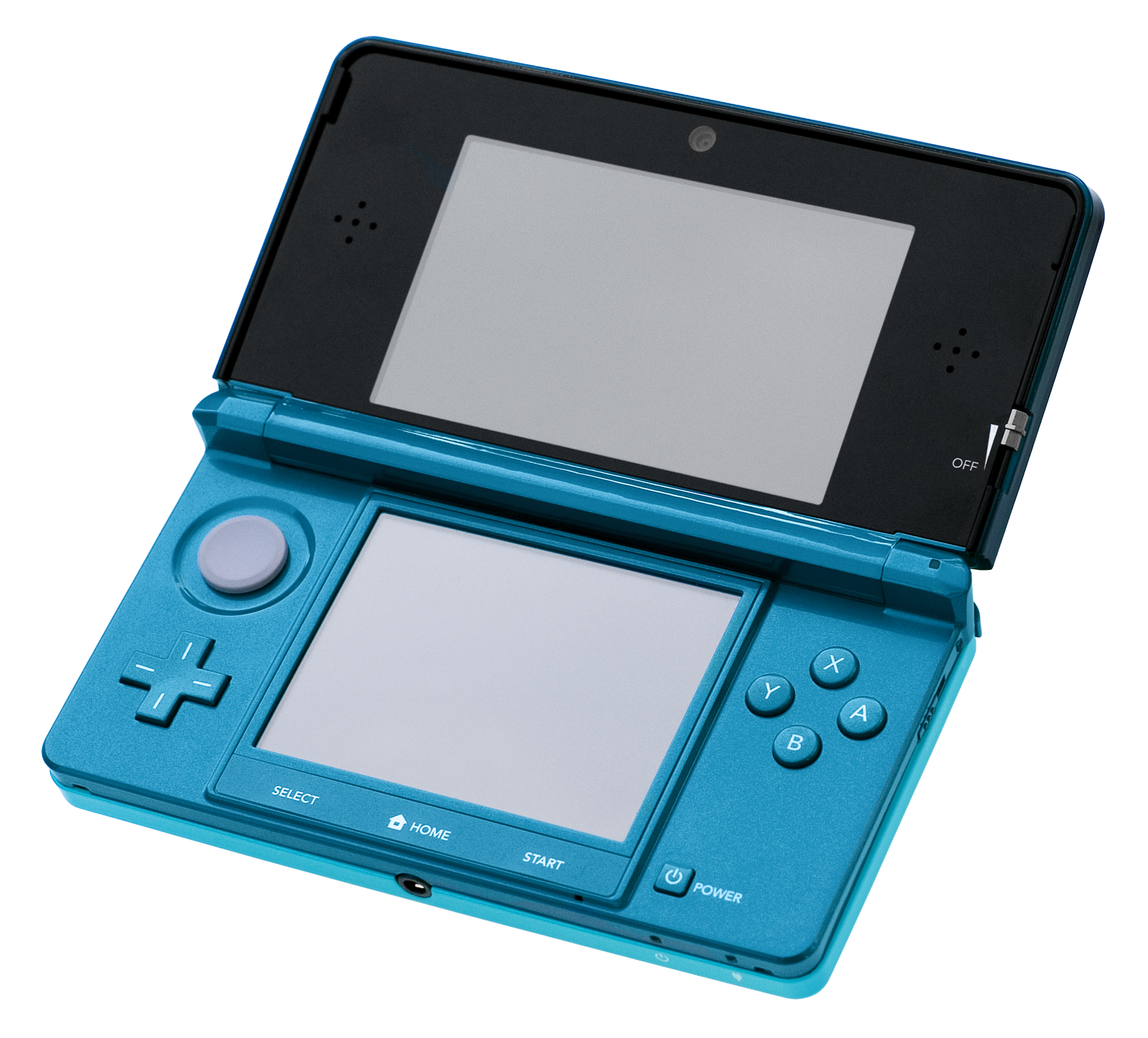
NINTENDO 3DS EMULATOR
Azahar
Azahar is an open-source Nintendo 3DS emulator project with official builds for desktop platforms and Android. It is a modern continuation of work started by developers from the Citra ecosystem and is actively developed on GitHub with release binaries published on the project's releases page and the project website.
WHY IT MATTERS
Why Azahar exists
Azahar was created as a current-generation, actively developed 3DS emulator that continues development started in the Citra ecosystem. The project focuses on providing cross-platform builds (Windows, macOS, Linux, Android), regular releases, and a modern codebase with a public source repository and documentation.
BEST FOR
What Azahar is best for
Running Nintendo 3DS games on modern desktop and Android hardware using official project builds; building from source and using project-supported features (camera emulation, controller mapping, platform-native builds) while following the project's rules about decrypted game images.
The people behind Azahar
Project history and status
Azahar is an open-source fork/continuation that emerged from developers in the Citra ecosystem. The project maintains a public repository on GitHub where sources, issue tracking, and release binaries are published. The team has shifted some design decisions compared with older 3DS emulators (for example, requiring decrypted game dumps for use with the emulator rather than allowing encrypted images). The project publishes frequent release tags and maintains platform-specific guidance and build instructions in its wiki. Community forks and variations exist (for example, projects that restore or alter features), but Azahar's official source and releases remain the authoritative upstream for the project.
What Azahar supports
- Windows
- macOS
- Linux
- Android
Download and availability
OFFICIAL DOWNLOADS
Get Azahar
Official downloads and binaries are published on the project's GitHub releases page and also linked from the project's website. For Android the Play Store listing exists but the project recommends using the official releases page for the latest first-party builds.
Get Azahar ↗DOCUMENTATION
Official documentation
Read the official configuration, compatibility, and troubleshooting material before changing advanced options.
Read official documentation ↗Azahar setup guide
Setup note: This guide covers verified, practical setup steps for Azahar: obtaining official builds, preparing game files the emulator expects, optional BIOS/firmware notes (3DS emulation typically does not require separate BIOS files), and building from source if desired. Follow the project's official docs and wiki for the latest platform-specific notes.
- 1) Confirm and obtain official build: Get binaries from the project's official GitHub releases (the authoritative release archive) or the official project website's download page. Do not rely on third-party archives for the initial install. For Android you can find an entry on Google Play, but the releases page and website are the primary official distribution points.
- 2) Read the project's documentation and wiki: Open the repository README and the project's wiki pages for platform-specific guidance (desktop builds, Android packaging, and building from source). The wiki contains important instructions about required file formats, dumping games, and build dependencies.
- 3) Prepare game images (decrypted dumps required): Azahar's documentation and wiki indicate the emulator requires decrypted 3DS game dumps. You must dump your own games from a physical 3DS using tools on the console (examples: gm9 or other dumping tools on a modded device) and decrypt them as the project requires. Do not expect encrypted cartridge or eShop images to work with the emulator unless specifically supported; verify the project's 'Dumping Games' guidance before attempting to run images.
- 4) Install and run on desktop (Windows/macOS/Linux): Download the appropriate build for your OS from GitHub Releases. On Windows this is typically an installer or zip of the application; on macOS a signed/un-signed .app bundle or disk image may be provided; on Linux the project may publish AppImages, tarballs, or distribution packages. Follow the project's README for runtime prerequisites (example: required Qt or other runtime libraries) and consult the building-from-source wiki page if distribution packages for your distro are not available.
- 5) Install and run on Android: If you prefer Play Store installs, verify the package ID and developer details on the store listing to ensure it matches the project. For latest first-party APKs, prefer the GitHub Releases assets or the official website download page when the Play Store distribution is not up-to-date. The project and community documentation discuss which Android builds are recommended for performance and filesystem access; follow those recommendations (for example selecting the appropriate ABI build).
- 6) Configure controllers, input, and camera: Use Azahar's input settings to map controllers and configure touch/camera emulation if needed. Camera emulation and file-chooser behavior can vary by platform; the README and recent release notes mention fixes and configuration tweaks for camera and file selection dialogs — check release notes if you encounter platform-specific pauses or permission prompts.
- 7) Troubleshooting and building from source: If a prebuilt binary is unavailable for your platform or you want the latest code, follow the project's Building-from-Source wiki. The wiki lists dependencies (examples include Qt and platform toolchains) and links to recommended toolchains/backports for older distributions. Building can also help if you need specific options or want to follow the cutting-edge release branch.
- 8) Respect legal and ethical constraints: Azahar does not include commercial games or keys. You are responsible for using legally obtained/decrypted game images. Follow local laws and the project's guidance about what image types are supported. The project has publicly discussed its stance on encrypted images and enforces requirements in code and releases—review the project's statements if this matters for your use case.
Software reminder: Verify runtime prerequisites listed in the project's README/wiki (for example required Qt versions or other runtime libraries) before launching builds. If building from source, follow the project's building-from-source instructions and install the listed dependencies.
Sources and further reading
Release log
Selected releases and changes. The weekly emulation roundup covers the wider build log.
- October 16, 2026: 2127.0 Alpha 3 (Pre-release): Adds CSND audio emulation for applets and some homebrew, fixes installation of compressed content in ROM Bundles, and resolves a Windows theme-change hang. This is an experimental alpha build. Official release and source | Weekly roundup
- September 21, 2026 — 2126.1.2 (Release): Fixes a libretro problem that could freeze or crash RetroArch when exiting a 3DS game. Official release and source ↗ · Weekly roundup →
Detailed guides and tutorials
Explore step-by-step guides for Azahar as they are published.
Use Azahar on Android
Azahar has an official Android app. Use the project’s own download page for the current build and setup instructions.
Emulates: Nintendo 3DS.
Official Android project page ↗ · Browse all Android emulators →