 Retro Replay Retro Replay gaming reviews, news, emulation, geek stuff and more!
SEGA 8-BIT EMULATOR
Gearsystem
Gearsystem — an actively maintained, open-source Sega Master System / Game Gear / SG-1000 emulator and debugger (standalone and libretro core) with an embedded MCP server for AI-assisted debugging. Builds and prebuilt downloads are provided for Windows, macOS, Linux, BSD and as a Libretro core for RetroArch.
WHY IT MATTERS
Why Gearsystem matters
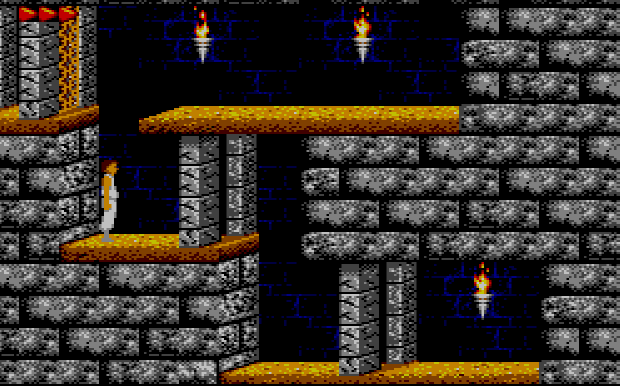
Gearsystem focuses on accuracy (Z80, VDP, PSG, optional FM OPLL), robust debugging features and development workflows (symbol loading, memory inspection, breakpoints), plus a Model Context Protocol (MCP) server for AI-assisted debugging. It supports both desktop use and a Libretro core for RetroArch environments, making it useful for both end users and developers/ROM hackers.
BEST FOR
Best used for
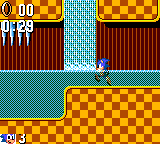
Accurate Master System / Game Gear / SG-1000 emulation with advanced debugging, ROM inspection and development workflows, running on desktop OSes and as a Libretro core. Recommended when you need precise hardware behavior, debugging tools, or integration with automated/AI-assisted debugging via MCP.
The people behind Gearsystem
History & current status
The project is actively developed and distributed from its GitHub repository. The repository contains a long commit history, a visible releases section with recent binary and source releases, CI workflows that produce dev builds, and documentation files (README, MCP_README, IOS_README). Gearsystem is licensed under GPLv3. The project provides frequent releases and platform-specific build artifacts (desktop builds and libretro cores). The repo and releases pages are the authoritative sources for current status and downloadable binaries; if you need the very latest build or changelog, check the project's releases on GitHub.
What Gearsystem supports
- Windows (desktop x86_64, desktop ARM64)
- macOS (Intel and Apple Silicon; Homebrew cask available)
- Linux (desktop builds, Ubuntu PPA noted; may require libsdl3/libsdl2 depending on platform)
- BSD (FreeBSD/NetBSD/OpenBSD build instructions in repo)
- RetroArch / Libretro core (multiple platforms supported)
- Raspberry Pi (via libretro build instructions / RetroArch)
Download and availability
OFFICIAL DOWNLOADS
Get Gearsystem
Official downloads (prebuilt desktop binaries, libretro cores, source archives) and release notes are published on the project's GitHub Releases page. Homebrew, distribution packages and CI dev builds are referenced from the repository README.
Get Gearsystem ↗DOCUMENTATION
Official documentation
Read the official configuration, compatibility, and troubleshooting material before changing advanced options.
Read official documentation ↗Gearsystem setup guide
Setup note: This guide describes how to get Gearsystem running from official sources, how to build if needed, and practical configuration notes (BIOS, controller mapping, portable mode, MCP server). It follows the project's own README and platform-specific notes.
- 1) Confirm official source and get downloads: Official project homepage and authoritative downloads are the GitHub repository and its Releases page. For prebuilt desktop binaries, open the Releases section and download the asset matching your OS and architecture. For RetroArch use, follow the Libretro core documentation referenced in the repo.
- 2) Windows (prebuilt): Download the Windows desktop zip matching x64 or ARM64 from the Releases page. Unzip to a folder, and run the executable. Windows may require the Visual C++ Redistributable and an OpenGL compatibility layer depending on GPU drivers; the README mentions these dependencies. If you prefer portable mode, create an empty file named portable.ini in the same directory as the application binary or start the app with –portable.
- 3) macOS (prebuilt and Homebrew): The README documents a Homebrew cask for Gearsystem (brew install –cask drhelius/geardome/gearsystem) and also provides macOS .zip builds per architecture. If Homebrew requests you trust a third-party tap, follow the tap/trust instructions from the README. To run portable, create portable.ini next to the .app bundle or pass –portable on the command line.
- 4) Linux and BSD (prebuilt, PPA, or build): The repo lists Ubuntu PPA and Fedora RPM information and provides desktop Ubuntu build artifacts in releases. Some distributions require libsdl3 (or libsdl2 on certain platforms) and libglew for GUI builds; the README enumerates platform-specific build dependencies and examples (Ubuntu, Fedora, Arch instructions). For FreeBSD/NetBSD/OpenBSD the README includes build examples using pkg/gmake. When building from source, follow the platforms/* subdirectories in the repository and the documented dependencies.
- 5) Libretro core / RetroArch: Gearsystem provides a Libretro core. The Libretro documentation page for the Gearsystem core documents supported content types and core options (including optional BIOS usage). Build instructions for libretro are included in platforms/libretro in the repo; on Debian/Ubuntu you typically install build-essential and run make in that folder.
- 6) BIOS and legal note: Gearsystem can run with or without BIOS files; the README explicitly notes that BIOS is optional and can be enabled in settings. The Libretro core also exposes Master System / Game Gear BIOS core options that you may set if you own legal copies. Do not expect commercial BIOS or game ROMs to be included in releases — acquire those separately and legally.
- 7) Controller mapping, save data, and portability: The application supports modern game controllers via a gamecontrollerdb.txt placed beside the binary. Portable mode keeps configuration and save files beside the executable (use –portable or create portable.ini). Save states, battery-backed saves and rewind are supported; the README describes save-state and battery RAM behavior.
- 8) Debugger, symbol files and MCP server: Gearsystem includes a full debugger (disassembler, memory editor, VRAM viewers) and supports automatic symbol file loading (.sym/.noi) plus explicit symbol files. The MCP server (Model Context Protocol) is included for AI-assisted debugging; MCP supports STDIO and HTTP transports and has its own MCP_README with security and usage details. Use –mcp-stdio or –mcp-http and the related options to start the server; consult MCP_README for token and bind-address guidance before exposing HTTP transport.
Software reminder: Gearsystem is GPLv3-licensed and does not bundle commercial ROMs or firmware. Verify you have legal rights to any BIOS or game ROM files you use. Follow the project's README and MCP_README for security-sensitive MCP configuration before enabling HTTP transport.
Sources and further reading
- Gearsystem GitHub repository (README, downloads table, platform build notes, features, license)
- Gearsystem GitHub Releases (official releases and prebuilt assets)
- Gearsystem MCP server documentation (MCP_README)
- Libretro documentation for the Gearsystem core (core options, supported filetypes)
- Gearsystem iOS user guide (platform-specific notes included in repo)
- Featured-image source and credit
Release log
Selected releases and changes. The weekly emulation roundup covers the wider build log.
- September 28, 2026 — 3.9.19 (Release): Fixes VSync-related audio underruns and refreshes the controller database. Official release and source ↗ · Weekly roundup →
Detailed guides and tutorials
Explore step-by-step guides for Gearsystem as they are published.
Use Gearsystem on Android
An Android ARM64 Libretro build exists for Gearsystem. Run the core through RetroArch for Android; the standalone desktop download and Android core may have different menus and features.
Emulates: Sega Master System, Game Gear.
Verified Android core build ↗ · Browse all Android emulators →