 Retro Replay Retro Gaming History, Reviews & Emulation
MULTI SYSTEM EMULATOR
Lemuroid
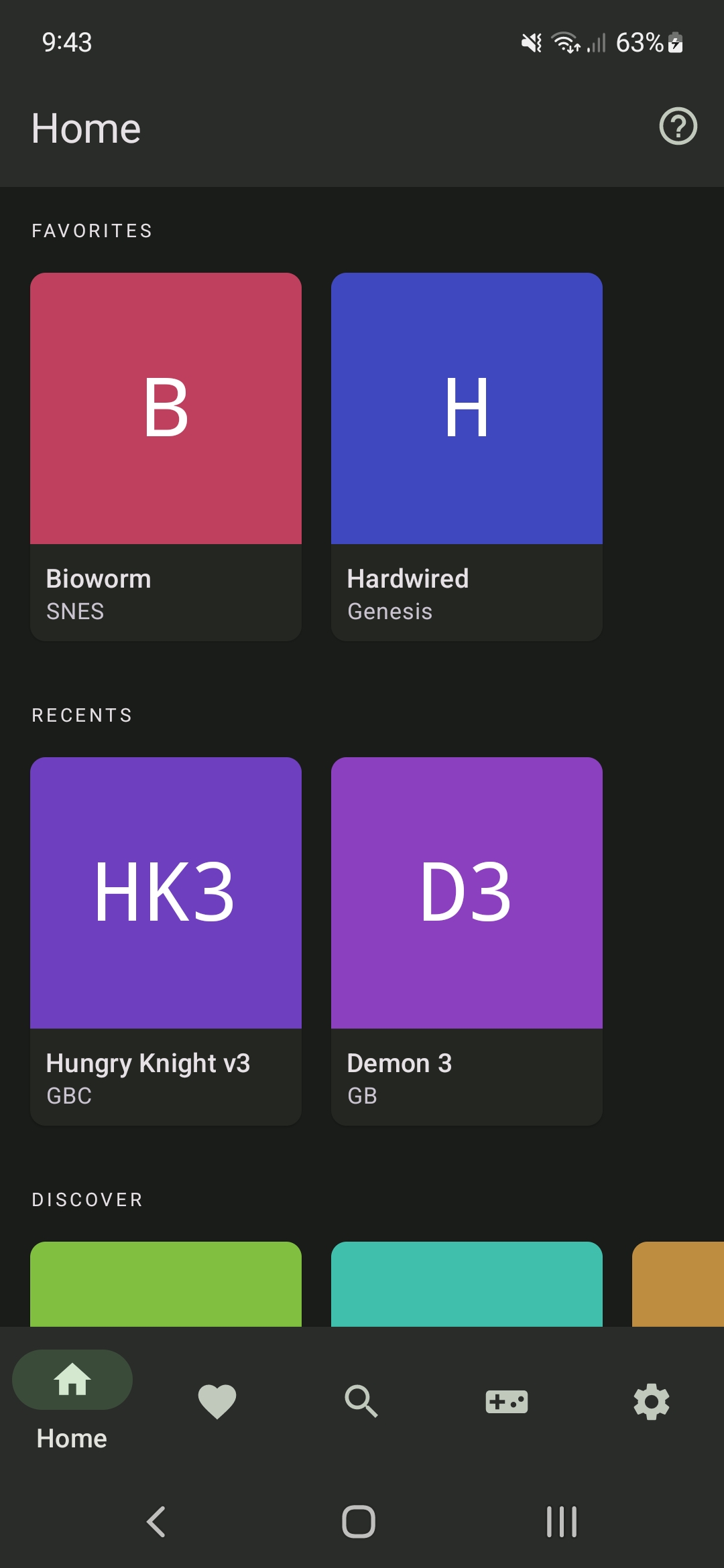
Lemuroid is an open-source, all-in-one Android emulator frontend that bundles and manages multiple Libretro cores to run a wide range of retro systems (NES, SNES, GBA, GBC, GB, Genesis/MD, Sega CD, Master System, Game Gear, N64, PS1, PSP, NDS, 3DS, FBNeo arcade, PCE, Neo Geo Pocket, WonderSwan, and more). It focuses on Android integration (Android TV support
WHY IT MATTERS
Why Lemuroid exists
Lemuroid aims to provide a single, easy-to-use Android app that integrates Libretro cores with Android-friendly features (automatic ROM scanning, touch overlays, gamepad/Android TV support, cloud save sync and on-demand core downloads) so users don't have to manage separate emulator apps or manually load cores.
BEST FOR
What Lemuroid is good for
Convenient, single-app retro emulation on Android devices and Android TV: quick ROM scanning and launching, built-in touch controls and overlays, automatic core management, save state auto-save/restore, and support for many classic systems via Libretro cores.

The people behind Lemuroid
History & status
Lemuroid began as a fork/rib of Retrograde and later integrated LibretroDroid; development and releases have been maintained on GitHub. The project is actively maintained (repository shows ongoing commits and releases; a project blog and release notes indicate continued updates through multiple 1.x releases). Lemuroid’s architecture uses Libretro cores (downloaded on demand in some distributions) so it functions as a bundled Libretro frontend for Android rather than implementing each system emulator from scratch.
What Lemuroid supports
- Android phones and tablets (APK builds)
- Android TV / Fire TV devices (Android TV compatible UI and controls)
- Libretro cores including: mgba, gambatte, snes9x, fceumm, mupen64plus, PCSX-ReARMed, PPSSPP, desmume/MelonDS, fbneo, genesis_plus_gx, beetle_pce_fast, mednafen_ngp, beetle_cygne (WonderSwan) and others
- Gamepad and touch input, custom touch overlays
- Zipped ROM support, automatic ROM scanning and indexing
- Save states, cloud save sync (where supported by build)
Download and availability
OFFICIAL DOWNLOADS
Get Lemuroid
Official binaries and APKs are distributed from the project's GitHub Releases page. The repository is GPL-3.0 licensed.
Get Lemuroid ↗DOCUMENTATION
Official documentation
Read the official configuration, compatibility, and troubleshooting material before changing advanced options.
Read official documentation ↗Lemuroid setup guide
Setup note: This setup guide covers installing Lemuroid on Android, preparing cores and ROMs, configuring controllers, and practical tips specific to Lemuroid (paths and on-demand core behavior). Follow only legal rules for ROMs and BIOS files; Lemuroid does not include commercial games or BIOS.
- 1) Choose build and install: Go to the project's GitHub Releases and pick the APK that matches your device (Free/F-Droid-style releases or Play Store build where available). If you install an APK from GitHub, enable Install unknown apps for your package installer and sideload the APK. Prefer the GitHub release matching your Android version and architecture. The Play Store variant may handle dynamic feature downloads differently; GitHub releases provide full APKs or split APKs as posted by the maintainer.
- 2) Allow permissions and run initial scan: On first run grant storage/media access so Lemuroid can scan for ROMs, covers and metadata. Lemuroid will automatically scan configured folders for supported ROM types (it supports zipped ROMs). If a directory is ignored during the scan, point the app explicitly at that directory from the file picker so it rescans it.
- 3) ROMs folder layout and filenames: Place ROM files into a ROMs directory accessible by the app. The FAQ and wiki document example internal paths: /sdcard/Android/data/com.swordfish.lemuroid/files/roms/<system_name> or other folders you choose. Lemuroid officially recommends using non-merged ROM sets whose CRC32 matches Libretro DB for best metadata matching, but standard single-file ROMs and zipped archives are supported.
- 4) Cores (how they’re provided and updated): Lemuroid uses Libretro cores. On Play Store builds some cores are delivered as dynamic feature modules; on GitHub/F-Droid builds cores are downloaded on demand from the project’s releases or bundled in the lemuroid-cores component. If a core for a system is missing, the app will prompt or provide a menu to download the core; alternatively, manually place cores as directed by the repository’s docs (see Wiki/cores pages).
- 5) BIOS and extra files: Some systems and cores require BIOS or firmware files to run certain titles; these are not included with Lemuroid. If a core requires a BIOS, consult the core’s Libretro documentation for the exact filename and checksum and place the file in the path expected by that core. Lemuroid’s FAQ and issues pages discuss common BIOS-related troubleshooting.
- 6) Controller and Android TV setup: Lemuroid supports external gamepads and Android TV navigation. Configure controller mapping within the app and test button mappings in-game. For Android TV/Fire TV, use the Android TV build or confirm the APK includes the TV-specific resources; community posts show users running Lemuroid on Nvidia Shield and Fire TV devices with some device-specific tweaks.
- 7) Saving, cloud sync and states: The app supports auto-save/restore and quick save/load (save states). Save files and states are stored under the app’s data directory (for example android/data/com.swordfish.lemuroid/files/saves). If you use cloud sync features, enable them in settings; behavior and availability may vary by build and Google Play/FOSS distribution.
- 8) Troubleshooting & updates: If a core misbehaves check: (1) you have the correct core version (update from Releases), (2) any required BIOS is present and correctly named, (3) ROM compatibility (try a different core for the same system), and (4) search the project Issues and Discussions for device-specific fixes (some devices require input fixes or older core variants). Use the GitHub Releases page to obtain newer builds or community forks if needed.
Software reminder: Do not distribute or use copyrighted games, firmware, or BIOS files unless you legally own them. Lemuroid itself is GPL-3.0 and does not include commercial game or BIOS files.
Sources and further reading
- Lemuroid GitHub repository (README, supported systems, license, files)
- Lemuroid GitHub Releases (official downloads/APKs)
- Lemuroid Wiki — Frequently-Asked-Questions (ROM paths, core/ROM guidance)
- Project blog / release posts by the author (historical release announcements)
- Lemuroid supported systems overview (project site)
- Featured-image source and credit
Detailed guides and tutorials
Explore step-by-step guides for Lemuroid as they are published.
Use Lemuroid on Android
Lemuroid has an official Android app. Use the project’s own download page for the current build and setup instructions.
Emulates: Game Boy, Game Boy Advance, Nintendo DS, Nintendo 64, NES, SNES, Sega Genesis, PlayStation, PSP, Atari 2600, Atari Lynx, Neo Geo Pocket, WonderSwan.
Official Android project page ↗ · Browse all Android emulators →