 Retro Replay Retro Gaming History, Reviews & Emulation
Haruhisa Udagawa’s Family Computer Emulator could run a Nintendo game on a personal computer, without a Famicom doing the work. Getting there took some preparation: games had to be extracted into specially prepared files, and only a narrow selection would run. Once running, they were slow and had no sound. By modern standards, the surviving program is primitive. In 1990, getting the game to run at all was quite a start.
Computer engineers had spent more than twenty years learning how to make one computer behave like another. IBM used emulation to carry software between generations of mainframes; personal computers later began imitating competing platforms. By the late 1980s, commercial products such as The 64 Emulator and A-Max let home-computer owners run software across boundaries that hardware manufacturers had once treated as fixed.
Now programmers were trying to recreate a machine built specifically for games. Udagawa’s target was Nintendo’s Family Computer—the Famicom, known internationally as the Nintendo Entertainment System. It brought a different set of problems to video game console emulation.
Getting the picture to move was another job
A business computer might spend much of its time manipulating data, processing files or printing reports. A console had to keep processor instructions, graphics, controller input, sound and hardware timing working together while the player acted. The picture could change sixty times a second. Keeping up meant more than getting the arithmetic right.
The Famicom paired a Ricoh processor derived from the 6502 family with dedicated picture-processing hardware. The later North American NES used the closely related RP2A03 CPU, which NESdev documents as combining a 6502-derived processor with audio, controller and DMA functions. A separate Picture Processing Unit handled graphics, and cartridges could carry extra circuitry that expanded what the console could do.
An emulator therefore had to do more than understand the processor’s instructions. The CPU, graphics hardware, memory, cartridge circuitry and other components had to interact closely enough for the game to behave as expected. A faster host computer did not solve that coordination by itself.
Some early games gave Udagawa a more manageable place to start. Nintendo’s basic NROM cartridge design held fixed program and graphics ROM, without sophisticated bankswitching hardware to swap different portions of ROM into view. NESdev documents NROM-256 as containing 32 KiB of PRG-ROM and 8 KiB of CHR-ROM—the same capacities reflected in the surviving 1990 emulator documentation. Those limits helped determine which games the emulator could attempt.
Udagawa knew the games from the inside
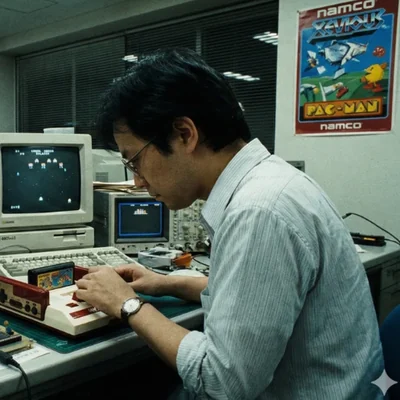
Haruhisa Udagawa was a Japanese programmer whose documented game credits reach from early Namco projects into the 1990s. Credited under variations including Haruhisa Udagawa, Hal Udagawa and HAL/UDA, his work included Famicom-era titles such as Xevious, The Tower of Druaga and Dragon Buster. Years after his emulator experiment, he was also credited as one of the programmers on Sega’s Sonic Jam for the Saturn.
His importance here comes from an extraordinary surviving piece of software: an early Famicom emulator created for Fujitsu’s FM TOWNS computer.
Udagawa already knew Nintendo’s hardware from professional work. His documented credits include Namco’s early Famicom development: MobyGames records him on projects including Xevious, The Tower of Druaga, VS. Super Xevious, Dragon Buster, Yōkai Dōchūki and later Sonic Jam. He was experimenting with a machine he had already worked with unusually closely.
Why the FM TOWNS?
For the computer that would run the emulator, Udagawa used Fujitsu’s FM TOWNS. Fujitsu introduced the FM TOWNS in 1989 as a multimedia-focused 32-bit personal computer. The company’s historical museum describes it as the first computer with a CD-ROM drive as standard equipment, able to handle music, graphics and programs simultaneously.
Its processor offered considerably more raw computing power than Nintendo’s 8-bit console. The Information Processing Society of Japan’s Computer Museum lists the original FM TOWNS with a 16 MHz 80386 CPU, CD-ROM hardware and a multimedia architecture designed to make sophisticated graphics and sound programming easier.
That made the FM TOWNS a promising place to try Famicom emulation: it had computing power to spare compared with the original console, plus hardware designed around graphics and sound. It also catered to technically adventurous Japanese computer users who might encounter unusual public-domain and shareware programs. Even on this machine, though, recreating the Famicom would be slow work.
Version 0.35 — December 1990
The surviving release most closely associated with 1990 is Family Computer Emulator v0.35. Its associated files carry a December 12, 1990 date, which later became the conventional date for the release.
The files also preserve a useful account of the experiment. A copy of the original Japanese v0.35 readme explains what Udagawa had built, how it worked and where it still fell short.
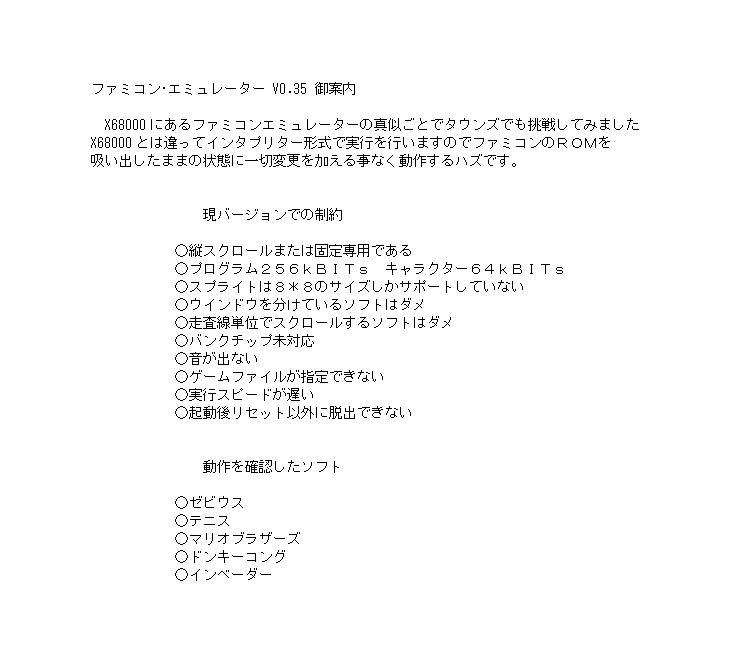
Udagawa described an interpreter-style approach. Rather than translate a Famicom game into a new FM TOWNS application before running it, the emulator interpreted the dumped program data as the game ran. The game’s code did not need to be modified first. Later emulator users would recognize the basic arrangement: supply data from the original machine, then let the host computer interpret it during play.
The X68000 Mystery — Was Udagawa Really First?
For years, summaries of emulation history have called Family Computer Emulator the first NES emulator, or even the first video game console emulator.
Udagawa’s own introduction points to a predecessor: a Famicom emulator on the Sharp X68000. He describes his FM TOWNS project as an attempt to do something similar, then explains where his design differs. His version uses an interpreter, handling the game’s instructions as it runs.
The X68000 project is harder to trace. Its name, author, release history and precise workings remain unclear, while much better evidence survives for Udagawa’s program. It may have been a translator or static recompiler, converting game code before running it. Modern demonstrations of Udagawa’s software have also noted reports of an X68000 Famicom project that analyzed ROM code and transformed it for the Motorola 68000 processor before execution.
That leaves Family Computer Emulator v0.35 as one of the earliest surviving, documented console emulators, rather than an unquestionable “first console emulator ever.” It may be the earliest surviving example that clearly resembles the runtime approach later emulators made familiar. Earlier X68000 software or documentation could still shift that timeline.
What Version 0.35 Could Actually Do
Getting a game to run in v0.35 meant accepting some conspicuous gaps. There was no sound, and execution was slow. The display could stay fixed or scroll vertically, but games that split it into separately scrolling regions would not work properly; scanline-based scrolling was unsupported too. Sprites had to be 8×8 pixels. Cartridge bank-switching hardware was beyond its reach, and even choosing a game file after launch lacked a convenient interface.
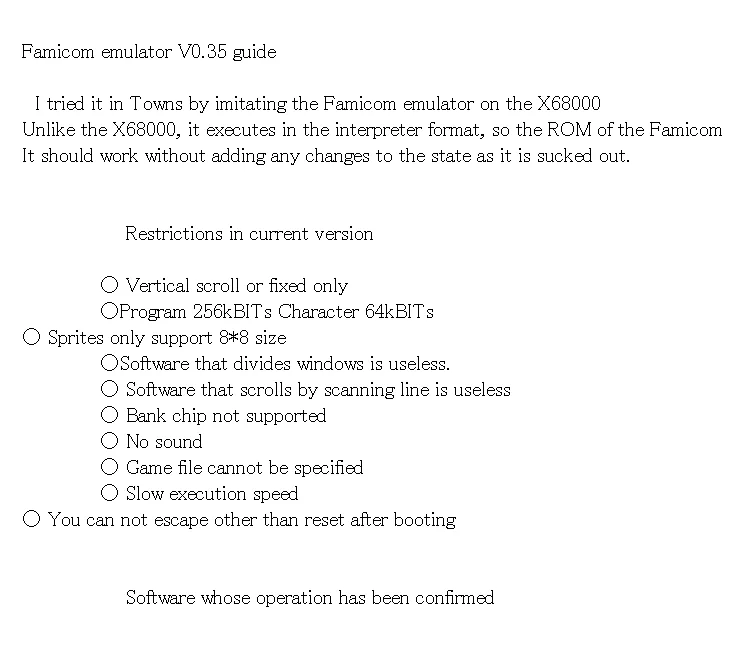
Those restrictions left a narrow slice of the Famicom library to try. By 1990, Nintendo cartridges had long since grown beyond the simplest early board designs. Many games relied on mapper hardware to switch portions of program or graphics ROM in and out of the console’s address space, giving the game access to more data. Udagawa’s documentation explicitly ruled out those bank chips, excluding a large and growing part of the library.
The supported memory sizes show how tightly v0.35 was built around simpler cartridges: a 256-kilobit program ROM and a 64-kilobit character ROM. That is 32 KiB of program data and 8 KiB of graphics data, matching the maximum configuration of Nintendo’s basic NROM-256 board. The experiment covered the oldest, simplest end of the Famicom’s cartridge hardware.
Five Games Confirmed

Udagawa’s documentation names five games he had confirmed working: Xevious, Tennis, Mario Bros., Donkey Kong and Space Invaders.
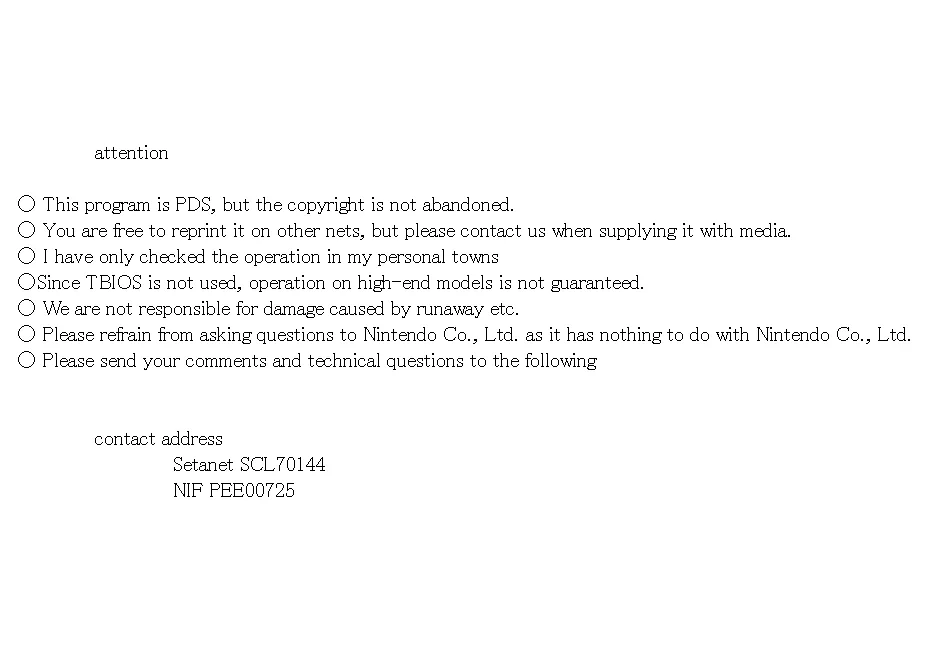
These early cartridges fit the emulator’s limits better than the mapper-heavy games that came to define the later Famicom library.
Xevious also gave him familiar ground to test. Udagawa’s professional credits include assistance on Namco’s Famicom version, so one of the five confirmed games came directly from his earlier development experience.
There Was No .NES File Yet
A user today might expect to open a single .nes file. That convention did not exist in 1990. Marat Fayzullin’s influential iNES format arrived years later, eventually giving emulator authors a standardized header that described the cartridge hardware associated with a ROM image.
For v0.35, Udagawa’s instructions required two files instead. The user had to dump the cartridge’s program ROM into a binary file called PRG.BIN and its character ROM into CHR.BIN, then put both in the working directory.
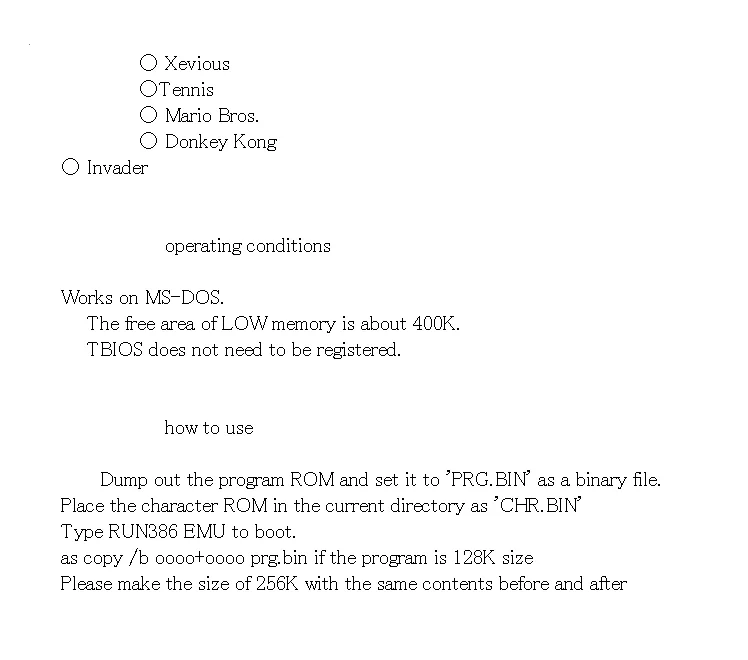
A smaller cartridge needed another step. If its program ROM held only 128 kilobits, the user had to duplicate that data to fill the 256-kilobit layout the emulator expected. With the files prepared, the command to launch it was RUN386 EMU.
There was no broadly accepted NES ROM container, mapper database or graphical ROM browser to smooth this out. Nor was there an expectation that the emulator would identify the cartridge hardware automatically. The user had to prepare the raw data in the form the program required.
ROM Dumping Was Already Part of the Problem
Before any of those steps, though, the game had to get out of the cartridge. An emulator could run the data only after someone turned the binary contents of its ROM chips into computer files.
Udagawa’s documentation starts after that work is done: it assumes the cartridge’s program ROM and character ROM have already been extracted. Getting those contents into files—what gaming circles would come to call dumping a ROM—would become a central technical and legal issue in emulation.
There were no USB cartridge readers or polished preservation tools to make the job easy. Extracting the data could mean building custom hardware, understanding the electronics and working directly with ROM chips and their buses. Before you could play, you might have some wiring to do.
The emulator and those files did different jobs. The emulator reproduced the console’s hardware behavior; the ROM images held software copied from the cartridge. You needed both to play, but they were technically separate—a distinction that still applies today.
Running Under MS-DOS on the FM TOWNS
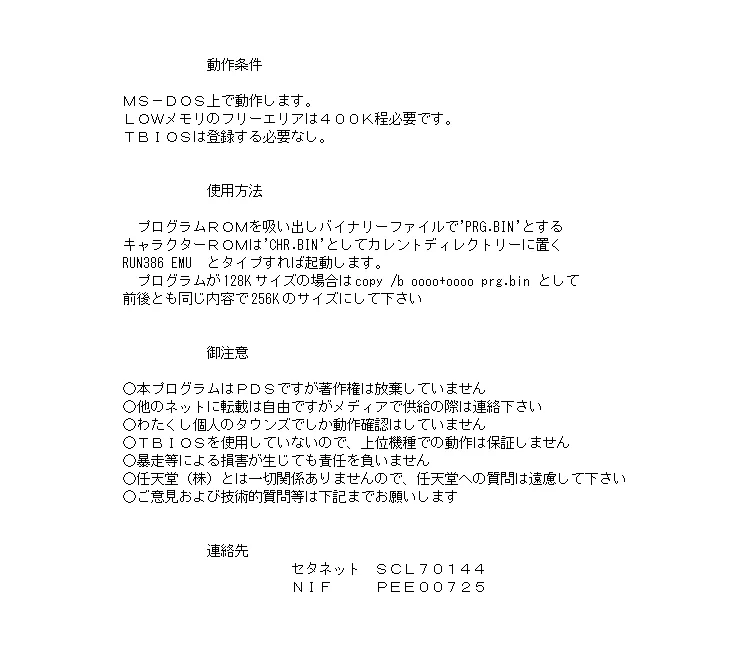
Once the cartridge data was ready, the computer had its own requirements. The surviving v0.35 documentation says Family Computer Emulator ran under MS-DOS, needed roughly 400K of free low memory and had been tested on Udagawa’s personal FM TOWNS.
Later accounts sometimes muddled the FM TOWNS with the X68000. Udagawa’s notes distinguish them clearly: his emulator ran on the FM TOWNS, and he referred to an earlier Famicom-emulation effort on the X68000. As the story was retold decades later, those two facts appear to have merged.
Permission to pass it along
Udagawa also gave users permission to pass the program along. He described it as PDS while retaining copyright, allowed redistribution to other networks and asked to be contacted if it was supplied on physical media. His contact details pointed to Japanese computer-network services. There was no website or modern-style email address to visit.
Questions were to go to him, not Nintendo. His notes stated that the software had no connection with the company and asked users not to contact Nintendo about it. Even this early, an independent emulator came with a warning against calling the console maker for technical support.
How Did Something This Obscure Survive?
Permission to share helped software travel, but it could not guarantee that a copy would survive. Hard disks failed, floppy disks degraded and network archives vanished. Much of the documentation for early Japanese personal-computer software also remained inaccessible to English-speaking readers.
Fujitsu’s FM TOWNS software ecosystem gave a later version another route to survival. Version 0.45 appeared on Freeware Collection 3, a Fujitsu CD-ROM released in 1991. MAME’s FM TOWNS software lists still catalog Freeware Collection 3 among preserved FM TOWNS CD releases.
A modern Japanese preservation video lets us see that later v0.45 in action through an FM TOWNS emulator. A Famicom game runs inside a Famicom emulator, which runs inside an FM TOWNS emulator on a modern computer: quite a stack of machines to reach a familiar game. The demonstration includes Mario Bros., Balloon Fight, Dig Dug, Elevator Action and Xevious and describes improvements made after v0.35.
In 2023, members of the MAME community also demonstrated Family Computer Emulator v0.35 running inside MAME’s FM TOWNS emulation. More than thirty years after Udagawa wrote it, his program could be run and studied with the help of another emulator.
Version 0.45 and the Road Into 1991
The surviving v0.45 shows that Udagawa kept working beyond the December 1990 release. This 1991 version appears to have addressed several obvious deficiencies before entering Fujitsu’s Freeware Collection ecosystem. Modern demonstrations report more convenient ROM-image selection and at least preliminary sound output. Accuracy remained poor, though, and the range of games it could run was still heavily constrained.
The name can make that continued development look like the beginning of a much longer family tree. It wasn’t. Bero’s similarly named FCE, developed in 1998, was a separate project. FCE Ultra and its descendants grew from Bero’s emulator, not Udagawa’s 1990 program.
The surviving record cannot rule out private experiments inside hardware manufacturers or development studios that were never distributed publicly. What Udagawa’s December 1990 files give us is a concrete example: a publicly shareable FM TOWNS program that interpreted dumped Famicom program and graphics ROMs and ran five confirmed commercial games.
A World Before the Emulation Scene
The emulator culture familiar to players today was still years away. Udagawa had no GitHub on which to share his work, and users had no front end lined with game box art or culture of trading save states. Debates over shaders, run-ahead latency and cycle accuracy lay ahead too. In 1990, even the phrase “emulation scene” would have meant little to most computer users.
Udagawa worked with raw ROM data, severe hardware limits and his own understanding of the Famicom. Only a small corner of Nintendo’s library fit what he had implemented. Getting more games to play properly meant tackling scrolling, cartridge mapper hardware, timing, audio, sprite priority and input, alongside file formats and compatibility. The shortcomings of v0.35 laid out much of the work ahead; later developers would tackle those problems one by one over the next decade of NES emulation.
Five games on the wrong machine
Most Famicom owners never knew this software existed. Console emulation in 1990 was still an obscure experiment, not a pastime for millions of players.
A Nintendo cartridge’s contents had become program and graphics data that a personal computer could read. Udagawa’s software recreated enough of the Famicom’s behavior to execute that data, putting games on screen and responding to the player without a Famicom CPU or PPU—the console’s processor and graphics chip.
Now programmers had practical questions to answer. How accurately could they reproduce a console, and how fast could they make it run? How many games would work? How would users get the software? Those questions, and the search for ways to push emulation further, would occupy developers through the 1990s.
Next: Nintendo games inside a Sega
In 1991, Yuji Naka reportedly tried a different route: a Famicom emulator running on Sega’s Mega Drive. Where Udagawa had used a powerful Japanese personal computer, Naka was attempting to make one game console reproduce another.
Meanwhile, Udagawa’s project advanced to v0.45. These obscure experiments of the early 1990s began laying the groundwork for a much larger development community.
Part of: The Complete History of Video Game Emulation
Person introduced in this chapter: Haruhisa Udagawa
Browse biographies: People in the History of Video Game Emulation
Sources and Further Reading
- Family Computer Emulator v0.35 — surviving original Japanese documentation
- Fujitsu — FM TOWNS historical product page
- Information Processing Society of Japan Computer Museum — FM TOWNS
- MobyGames — Haruhisa Udagawa game credits
- NESdev Wiki — RP2A03 CPU
- NESdev Wiki — NROM cartridge architecture
- BCC — surviving Family Computer Emulator v0.45 demonstration
- MAME community — Family Computer Emulator v0.35 running under FM TOWNS emulation
- RetroReversing — The History of NES Emulation