 Retro Replay Retro Gaming History, Reviews & Emulation
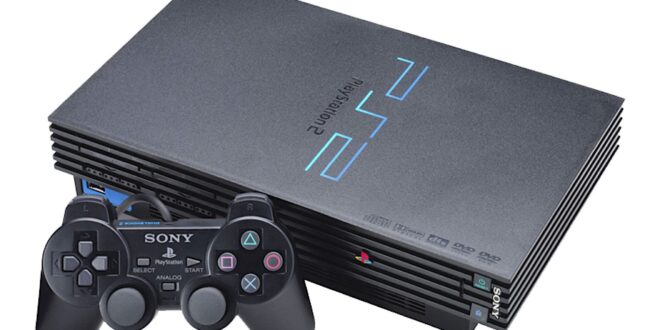
PS2 emulation on Android is no longer a novelty, but it is still one of the most demanding corners of mobile retro gaming. A capable phone can make games such as Final Fantasy X, Kingdom Hearts, and many racing, fighting, and RPG favourites feel remarkably at home on a handheld. It can also expose the rough edges of a notoriously intricate console: one game may run beautifully while another needs careful settings, a cooler device, or more modest visual ambitions.
The sensible goal in 2026 is not to promise a flawless pocket PS2 for every game and every phone. It is to choose software with clear tradeoffs, start with your own properly dumped games, use a real controller, and adjust only what a troublesome game actually needs. For most Android players, Play! is the current project to watch; older AetherSX2 installations remain relevant as a legacy option, while the other names often mentioned in PS2 lists deserve considerably more caution.
What PS2 emulation asks of an Android device
The PlayStation 2 is substantially harder to emulate than the PS1, PSP, or 16-bit systems. Its Emotion Engine CPU, graphics hardware, timing behaviour, and game-specific quirks all need to be reproduced in software. Raw processor speed matters, but sustained performance, graphics drivers, heat, and an emulator’s individual compatibility work matter just as much.
That means a premium phone is not an automatic guarantee, and an affordable handset is not automatically excluded. Less demanding 2D games, fighters, and many early 3D titles are reasonable places to begin. Large open-world games and effects-heavy late releases are more likely to reveal audio crackle, dips below full speed, graphical errors, or heat-related slowdowns during longer sessions.
- Start at native resolution. It is the fairest test of whether a game and device combination works. Raising internal resolution improves the picture but increases GPU load.
- Test a real section of the game. Menus, intros, and the first five minutes rarely represent demanding combat, streaming areas, or later levels.
- Expect per-game tuning. One global preset is convenient, but PS2 games were never a uniform target.
- Watch temperatures. If performance fades after ten or twenty minutes, return to native resolution, remove unnecessary enhancements, and let the phone cool rather than chasing aggressive speed hacks.
Storage is worth planning as well. Disc images can be large, and compressed formats may save space only if the emulator supports them correctly. Keep your files in a clearly named folder, preserve an untouched dump as an archive, and back up memory cards and save states separately. A save state is wonderfully convenient, but it should supplement—not replace—normal in-game saves.
The Android PS2 options that matter
1. Play! — the clearest current Android-facing choice
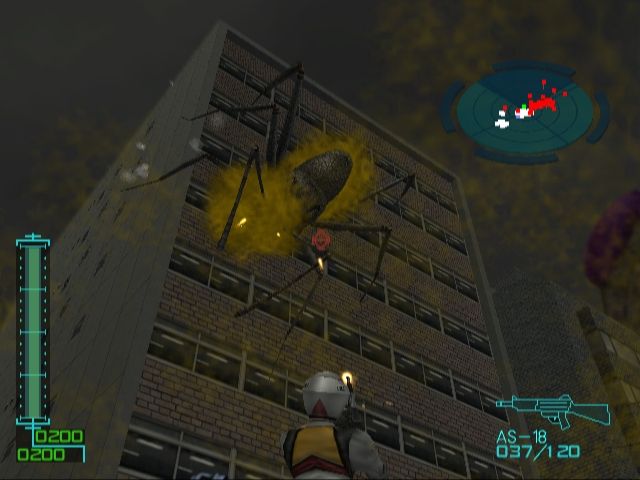
Play! is a cross-platform, open-source PS2 emulator with official builds described for Android alongside desktop, iOS, and browser platforms. Its philosophy is refreshingly different from the old plugin-heavy PC emulation model: a portable, single-application approach intended to improve incrementally across platforms.
For an Android newcomer, that cross-platform focus is its biggest attraction. Play! is the honest recommendation for someone who wants to explore PS2 emulation without treating an abandoned app as the default answer. It is also a project worth revisiting as compatibility work progresses, particularly if a game that once failed becomes playable in a later build.
The tradeoff is equally important: active development does not mean universal compatibility or identical results to a mature desktop setup. Treat Play! as a practical emulator to test with your own library, not a blanket promise that every favourite will run perfectly. Begin with default settings, native rendering, and one game at a time. If it works well, then try a moderate resolution increase; if it does not, revert changes before assuming a setting will fix it.
2. AetherSX2 — a strong legacy installation, not a fresh default

AetherSX2 earned its reputation because it brought a polished, feature-rich PS2 experience to Android. Its strengths include save states, controller mapping, cheat support, touch controls, and resolution scaling. It was built on work associated with the established PCSX2 lineage, which explains why many Android players still judge competing options against the experience it delivered.
However, its development has stopped. That changes the advice. If you already have a legitimate installation that works on your device and with your own dumps, it can remain a useful legacy tool. Back up its memory-card files and settings before changing anything, and be conservative with updates or unfamiliar packages. It should not be presented as a currently maintained solution, and a discontinued app cannot be expected to receive fixes for new device-specific problems.
For a view of the desktop reference point behind much modern PS2 emulation, see our PCSX2 guide. PCSX2 is a desktop-focused emulator, not an Android substitute, but it can be the better place to play a demanding title when a phone runs out of headroom. A desktop also gives you a useful way to verify a personal dump and compare whether a problem belongs to the game image, emulator, or handset.
DamonPS2 Pro — available does not make it the easy recommendation
DamonPS2 Pro has advertised the familiar checklist: scaled rendering, save states, controller input, and cheats. Some players have reported usable results, especially on powerful phones. Yet performance can vary from game to game, and the project has faced longstanding questions about its code origins. Those concerns, together with inconsistent compatibility reports, are enough to keep it out of a first-choice recommendation.
If you are comparing it with another emulator using your own legal dump, judge it with the same scene, resolution, controller, and thermal conditions. Do not confuse a smoother title screen with superior game compatibility. More importantly, never assume a paid listing, a large feature list, or an upload on a storefront resolves questions about provenance or quality.
RetroArch and LRPS2 — interesting integration, not the simple Android route
RetroArch is excellent for people who want one frontend for many older systems, with consistent controller profiles, shaders, playlists, and input shortcuts. It is particularly compelling if your phone also carries PS1, arcade, and handheld libraries; our PS1 emulators for Android guide is a useful comparison because that generation is much less demanding on mobile hardware.
PS2 inside RetroArch requires more restraint. LRPS2 is a Libretro core derived from a heavily modified PCSX2 codebase, with Vulkan LLE rendering and native AArch64 paths described for 64-bit ARM Linux devices. That is meaningful technical work, but it is not evidence of a finished, general-purpose Android PS2 recommendation. The original broad appeal of RetroArch does not turn an experimental PS2 core into a plug-and-play mobile solution.
Use this route if you understand RetroArch’s core-and-content workflow and enjoy testing. Otherwise, Play! is the more straightforward starting point, and a desktop PS2 setup is often the more productive fallback for a difficult game.
A sensible first setup
Keep the first session boring on purpose. Most frustration comes from changing five settings at once, then not knowing which one helped or hurt.
- Install one emulator and learn its interface. Do not import a huge library before you have launched one title successfully.
- Prepare a legal game dump from a disc you own. Keep its filename descriptive and avoid moving it after creating saves.
- Provide any required console firmware from your own PS2. Firmware files are copyrighted; do not download BIOS packages from sharing sites or ask others to supply them.
- Launch at native resolution with default emulation settings. Make an in-game save, play beyond the opening, and listen for audio issues.
- Connect and map a controller. Confirm analogue sticks, triggers, D-pad, Start, Select, and both stick-clicks before beginning a long game.
- Change one variable at a time. Try resolution first for image quality. If a game slows down, undo visual extras before reaching for obscure compatibility toggles.
When a game fails to boot or behaves incorrectly, do not immediately blame the emulator. Re-check the dump against your original disc, restore default settings, and try a new memory-card save rather than only a state made during a glitch. A good troubleshooting note records the game, area, renderer, resolution, and the exact change made. That small habit saves a great deal of circular experimentation.
Controllers, touch controls, and display choices
PS2 games assume a full DualShock-style controller. Touch controls are acceptable for menu-driven RPGs, turn-based games, and short testing sessions, but they are a compromise for action games. The PS2 face buttons, D-pad, two analogue sticks, shoulder buttons, triggers, and occasional stick clicks occupy too much of the screen and demand too much muscle memory to make a glass overlay ideal.
A Bluetooth or USB gamepad is the upgrade that makes the largest practical difference. Map the buttons deliberately rather than relying on labels alone: confirm that the left and right analogue sticks are not reversed, trigger travel feels usable, and the D-pad works in menus. If a controller has noticeable input lag over Bluetooth, a wired connection can be worth trying where your device supports it.
For the display, native 4:3 is the least troublesome option. Widescreen patches and emulator stretching can look excellent, but they can also reveal scenery outside the intended camera view, misplace interface elements, or distort the image. Use widescreen on a per-game basis and keep a 4:3 profile available. Integer scaling is not realistic for most PS2 presentation, so the priorities are a stable frame rate, sensible aspect ratio, and avoiding excessive sharpening.
If you play on a television, set expectations around latency and aspect ratio before increasing resolution. A controller-friendly couch setup with native rendering is often better than a stuttering pseudo-HD picture. The same lesson applies to other 3D systems: compare the portable demands of PS2 with our GameCube emulators for Android guide rather than assuming every sixth-generation console has the same performance profile.
Legal, practical preservation
Emulators are software; commercial PS2 games, console firmware, artwork, and manuals are protected material. The responsible route is to dump discs and firmware from hardware and games you own, retain the originals, and comply with the law where you live. Do not download copyrighted ROMs or BIOS files, use ROM sites, or bypass copy protection.
There is a preservation benefit to making personal archival copies: old discs can become scratched, drives can fail, and a carefully labelled dump makes it easier to keep playing hardware you already purchased. That benefit does not grant a licence to acquire games you do not own. Treat save backups with the same care; a copy of a memory card folder can preserve years of progress.
FAQ
Can every Android phone run PS2 games?
No. PS2 emulation is demanding, and results depend on the game, emulator, device performance, graphics drivers, and heat. Test at native resolution before deciding whether your phone is suitable.
Should I increase the internal resolution immediately?
No. Establish stable gameplay first. Resolution scaling is a visual enhancement, not a compatibility fix, and it can turn a nearly stable game into an inconsistent one.
Are save states safe to rely on?
They are useful, especially on a phone, but make normal in-game saves too. Keep backup copies of memory-card data and avoid overwriting your only good state after a crash or graphical problem.
Is PS3 emulation the next step after PS2 on Android?
Not in the straightforward sense. PS3 emulation is far more demanding, and projects commonly presented as Android PS3 solutions may be experimental, misleading, remote-play based, or desktop-only. See our PS3 emulators for Android guide for the necessary distinctions rather than assuming PS2 results predict PS3 viability.
Bottom line
For Android PS2 play in 2026, start with Play! and realistic expectations: use your own dumps, test at native resolution, and make a controller part of the plan rather than an afterthought. AetherSX2 may still serve people with an existing working installation, but its discontinued status makes it a legacy choice, not the default recommendation. DamonPS2 Pro is not the uncomplicated alternative its feature list suggests, and RetroArch’s PS2 path remains best reserved for experienced tinkerers.
The payoff is still substantial. With a stable game, a proper pad, and a sensible 4:3 or carefully tested widescreen setup, Android can be a wonderful way to revisit the PS2 library—without pretending that the hardest games have stopped being hard to emulate.
More Android Emulator Guides
Choose the system you want to play. These guides compare Android options and link to the matching emulator profiles.




15 comments
Pingback: Best ZX Spectrum Emulators for Android in 2025 | Retro Replay
Pingback: Best Dreamcast Emulators for Android in 2025 | Retro Replay
Pingback: Best Sega Genesis Emulators for Android in 2025 | Retro Replay
Pingback: Best Wii Emulators for Android in 2025 | Retro Replay
Pingback: Best Android Emulators in 2026: The Complete System-by-System Guide - Retro Replay
Pingback: Best Neo Geo Pocket Emulators for Android in 2025 | Retro Replay
Pingback: Best Atari Emulators for Android in 2025 | Retro Replay
Pingback: Best PS1 Emulators for Android in 2025 | Retro Replay
Pingback: Best GameCube Emulators for Android in 2025 | Retro Replay
Pingback: Best Amiga Emulators for Android in 2025 | Retro Replay
Pingback: Best PS3 Emulators for Android in 2025 | Retro Replay
Pingback: Best PSP Emulators for Android in 2025 | Retro Replay
Pingback: Best GBA Emulators for Android in 2025 | Retro Replay
Pingback: Best WonderSwan Emulators for Android in 2025 | Retro Replay
Pingback: Best MSX Emulators for Android in 2025 | Retro Replay