 Retro Replay Retro Gaming History, Reviews & Emulation
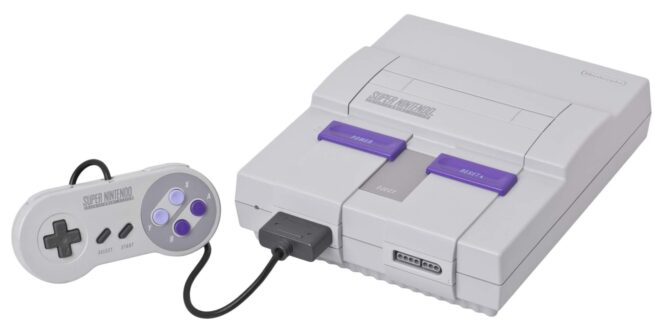
The Super Nintendo remains exceptionally well suited to Android. Its library is packed with games that still feel immediate on a small screen or a television: focused platformers, turn-based RPGs, arcade-style racers, and some of the best local multiplayer games ever made. Unlike more demanding later consoles, SNES emulation does not require a flagship phone to be enjoyable.
The right app depends less on raw speed than on how you want to play. Some people want a simple launcher, a folder of personally dumped games, and a Bluetooth controller. Others want shaders, per-game settings, rewind, and one library for several retro systems. This guide explains the sensible choices, what each does well, and how to get a clean, legal setup without turning a relaxing game session into a settings project.
Quick picks
- Choose Snes9x EX+ if you want a focused, lightweight SNES app with a straightforward setup and sensible everyday features.
- Choose RetroArch if you want SNES alongside other systems, or you enjoy configuring video filters, controller profiles, and per-game options.
- Choose John SNES if a simple, approachable interface matters more than deep frontend customization.
All three approaches cover the practical basics: loading your own game dumps, on-screen controls, external controller mapping, save states, and fast-forwarding. The larger decision is whether you want a dedicated SNES player or an emulation frontend that can become a long-term hub.
What matters in an Android SNES emulator
SNES games appear simple beside modern releases, but the original hardware had several unusual enhancement chips and relied on precise timing in ways that can expose weaknesses in an emulator. In practical terms, a good setup should boot your legitimate dumps reliably, keep audio stable, handle the games you care about, and make save management painless.
Accuracy versus convenience
For most players, Snes9x-derived emulation is an excellent balance: broad compatibility, modest demands, and few barriers between opening a game and playing it. The long-running Snes9x project is a useful reference point for why this approach has become a standard for everyday Super Nintendo and Super Famicom play.
Accuracy-focused options can be worthwhile when you are especially interested in edge cases, enhancement-chip titles, or presenting games as faithfully as possible. Within RetroArch, Beetle bsnes comes from the accuracy-oriented bsnes/higan lineage. It is a better fit for users happy to explore core options than for someone setting up their first emulator. Do not assume that “more accurate” automatically makes a visible difference in every game; it can simply mean more processing overhead and more settings to understand.
Performance expectations
Standard SNES play is light work for many Android devices, including older or budget-minded hardware. A stable full-speed game with clean audio is the baseline to aim for, not a premium feature. If performance is uneven, first try a less demanding core or default video settings before blaming the game file. Heavy shaders, high-resolution presentation options, rewind buffers, and run-ahead can add work that a basic setup does not need.
Some games are more demanding than others because their cartridges included special hardware. That is normal. Test the specific game, preferably through a full level or busy scene, rather than judging by the title screen alone. Audio crackle, persistent frame skipping, or input that feels delayed are reasons to simplify the configuration.
Controls and save behavior
Touch controls are perfectly serviceable for slow RPGs, puzzle games, and menu-driven adventures. They are less convincing for action games that demand quick diagonals, shoulder buttons, or precise timing. A Bluetooth or USB controller is the single biggest comfort upgrade for most people. Map the SNES face-button diamond deliberately: Nintendo’s original layout places B and A along the lower row, with Y and X above. Spend a minute confirming it in a game rather than trusting a default that feels unfamiliar.
Use normal in-game saves when a title offers them, then treat save states as a convenience layer. States are excellent for short play sessions, difficult stages, and experimenting with different choices, but they can be tied to an emulator or core. Keep more than one state slot, and do not make a single quick-save your only progress record.
1. Snes9x EX+: the focused everyday choice
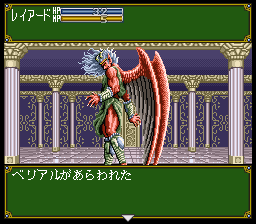
Snes9x EX+ is the easy recommendation for a player who wants an Android app centered on one job: playing SNES and Super Famicom games with minimal ceremony. Its Snes9x foundation brings the benefits people expect from a mature SNES emulation family—strong general compatibility, responsive play, controller mapping, and save-state support—without presenting the user with a multi-system control panel first.
The appeal is restraint. A dedicated app makes it easier to maintain a small, understandable setup: point it toward your game folder, map a controller, choose a display preference, and play. This is particularly appealing on a phone where a dense interface can make quick sessions feel like work.
It is also the sensible starting point when troubleshooting. With fewer layers between the game and emulator, it is easier to isolate whether a problem comes from a controller, a display option, or a bad dump. If your collection is mainly SNES, there is little practical value in adopting a giant frontend just because it offers more knobs.
The tradeoff is that a focused emulator does not aim to be an all-systems library manager. Players building a unified collection that spans 8-bit consoles, handhelds, and arcade boards may prefer RetroArch’s shared interface instead. But for a reliable dedicated SNES experience, Snes9x EX+ is the first option to try.
2. RetroArch: the flexible multi-system route
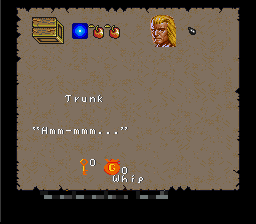
RetroArch is a frontend rather than a single emulator. You install a suitable SNES core inside it, then use RetroArch’s shared tools for input, video, saves, menus, and other supported systems. That model is powerful: someone who also plays Game Boy Advance games, for example, can carry familiar controller and display habits between systems. Our guide to GBA emulators on Android is a natural next stop if that is part of your collection.
For SNES, Snes9x-based cores are the uncomplicated place to start. They fit the “play first, tune later” approach. If you specifically want a more accuracy-minded alternative, Beetle bsnes is the core to investigate. The Beetle bsnes profile explains its bsnes-derived emphasis on faithful hardware behavior and its integration with RetroArch features.
RetroArch’s strengths are consistency and depth. You can create controller remaps, save core or game-specific settings, apply shaders that evoke a CRT display, use rewind where appropriate, and keep a common interface across several systems. It can be excellent on a tablet, a handheld-style Android device, or a phone connected to a television.
Its weakness is that the same flexibility creates a learning curve. Terms such as core, content directory, override, shader preset, and playlist can be unfamiliar. Menus also expose options most SNES players will never need. Start modestly: install one core, load one game, map one controller, and leave advanced latency or video settings alone until you have a reason to change them.
When something goes wrong in RetroArch, change one variable at a time. Test with default settings, then add a controller remap or shader. This avoids the common frustration of making several changes at once and not knowing which one introduced stutter, a black screen, or incorrect buttons.
3. John SNES: simple and approachable
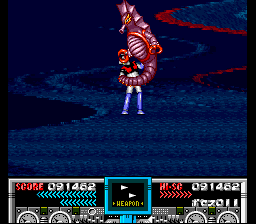
John SNES is aimed at players who value a direct interface. It offers the familiar quality-of-life features expected from Android emulation, including save states, cheats, and fast-forwarding, while keeping the path from game selection to play short. That makes it a reasonable fit for casual use, especially for long RPGs where a quick state before closing the app is convenient.
Compared with RetroArch, it does not try to be a modular emulation environment. Compared with Snes9x EX+, it is another straightforward standalone-style choice rather than a reason to rebuild an already working setup. If its interface suits you and it handles your own dumps well, that is a valid reason to use it. Emulation is supposed to make playing easier, not turn every system into a technical comparison.
The tradeoff is less room for the deep presentation and system-wide customization that attracts RetroArch users. Think of John SNES as a comfort-first option, not a feature contest winner.
A clean setup in a few steps
- Organize your personal dumps. Put SNES and Super Famicom game files in a folder you can find easily, ideally separate from downloads and temporary files. Clear names help when browsing on a phone.
- Install one emulator first. Start with Snes9x EX+ if you want a dedicated experience, or RetroArch if you already intend to use a multi-system frontend. Resist installing three apps before testing any of them.
- Grant only the storage access needed to select your own game folder. Then load one known-good personal dump and confirm that it starts, sounds correct, and responds to input.
- Pair and map a controller. Check the D-pad, all four face buttons, L and R, Start, and Select. Test in an actual game, since menus do not reveal every mapping error.
- Set up saves deliberately. Learn where the app keeps battery saves and save states. Make an in-game save early, create a test state, close the app, and confirm both still work after reopening.
- Tune the display last. Once play is stable, experiment with aspect ratio and filters. Keep a simple baseline configuration that you can return to.
Display, aspect ratio, and television play
Most SNES games were designed around a 4:3 display. On a modern widescreen phone or television, preserving that shape gives you side borders, but it also preserves the intended geometry. Stretching to fill the screen can make circles oval and character art visibly wider. There is no universal rule—some people prefer a fullscreen image—but 4:3 is the dependable starting point.
Integer scaling can make pixels look crisp when the screen size allows it, though it may leave larger borders. Bilinear filtering softens the image, which some players find more natural on a handheld display. CRT-style shaders can add scanlines, curvature, or phosphor-like texture, helping old artwork blend in a way it originally did on televisions. They can also darken the picture, obscure fine detail, or cost performance. Use them because you enjoy the effect, not because they are mandatory for authenticity.
For TV play, a controller and a stable wired or wireless display connection matter more than aggressive visual tweaks. Test for input delay before committing to a long action game. If controls feel late, simplify the video chain, disable heavy effects, and compare against the phone screen. A clean, responsive 4:3 image is better than an elaborate filter stack that makes Super Mario World feel sluggish.
Legal game dumping and responsible use
Emulators are software tools; they do not include permission to distribute or download copyrighted games. The responsible route is to dump games you own using appropriate hardware and keep the resulting files for personal use, subject to the laws where you live. The same principle applies to any firmware or system files a particular platform may require: use files obtained from your own hardware where lawful, not downloads from random sites.
For SNES specifically, avoid treating a cartridge as a fragile museum piece if you want a convenient backup: use reputable dumping hardware and follow its documentation, or seek local help from preservation-minded enthusiasts who can explain the process without distributing copyrighted files. Keep the original cartridge, label dumps clearly, and verify that a game boots and saves correctly before relying on it for a long playthrough.
Do not download ROM packs, copyrighted games, or BIOS files from file-sharing and “free ROM” sites. Apart from the legal and ethical problem, those sources often create practical headaches: mislabeled files, modified releases, broken saves, and unwanted software bundled around the download.
Common problems and practical fixes
The game runs slowly or audio crackles
Return to default video settings, disable shaders and rewind, and test again. In RetroArch, try a Snes9x-based core before experimenting with a more accuracy-heavy option. Make sure other demanding apps are not competing for resources. If only one dump fails, verify it from your own source before changing every emulator setting.
The controller buttons are wrong
Remove any old custom mapping and remap from scratch. Pay particular attention to A/B and X/Y, which can feel reversed when moving between controllers made for different platforms. Save the mapping only after testing both gameplay and menus.
My save disappeared
Check whether you used an in-game battery save or an emulator save state; they may be stored separately. Avoid moving game files after beginning a playthrough unless you understand how the app identifies saves. Back up your save directory periodically, especially before changing apps, cores, or phones.
FAQ
Do I need a powerful Android device for SNES emulation?
No. Standard SNES emulation is generally modest in its demands. More demanding video effects, rewind, and accuracy-focused configurations can require more headroom, so begin with simple settings.
Is a controller necessary?
No, but it is strongly recommended for platformers, fighting games, shooters, and anything that relies on shoulder buttons. Touch controls remain useful for slower games and quick sessions away from home.
Which RetroArch SNES core should I use first?
Begin with a Snes9x-based core for a practical balance of compatibility and ease. Explore Beetle bsnes later if you have a specific reason to prioritize its accuracy-oriented approach.
Should I use save states or normal saves?
Use both. Normal saves are closest to the original experience and often travel better between setups. Save states are excellent supplementary checkpoints, but keep multiple slots and back up important progress.
Conclusion
For most Android players in 2026, Snes9x EX+ is the decisive first choice: it is focused, lightweight, and built around getting SNES games running without excess configuration. RetroArch is the better long-term home for tinkerers and multi-system players, particularly if you want unified controls, shaders, and per-game options. John SNES remains worth considering when a simple interface is the priority.
Whichever route you take, begin with your own properly dumped games, a controller if you have one, a 4:3 display setting, and default performance options. That modest setup captures what matters: responsive controls, dependable saves, and easy access to an extraordinary 16-bit library.
More Android Emulator Guides
Choose the system you want to play. These guides compare Android options and link to the matching emulator profiles.




18 comments
Pingback: Best GBA Emulators for Android in 2025 | Retro Replay
Pingback: Best PS3 Emulators for Android in 2025 | Retro Replay
Pingback: Best PS2 Emulators for Android in 2025 | Retro Replay
Pingback: Best Sega Genesis Emulators for Android in 2025 | Retro Replay
Pingback: Best Game Boy Emulators for Android in 2025 | Retro Replay
Pingback: Best Android Emulators in 2026: The Complete System-by-System Guide - Retro Replay
Pingback: Best Commodore 64 Emulators for Android in 2025 | Retro Replay
Pingback: Best Dreamcast Emulators for Android in 2025 | Retro Replay
Pingback: Best GameCube Emulators for Android in 2025 | Retro Replay
Pingback: Best Neo Geo Emulators for Android in 2026 - Retro Replay
Pingback: Best WonderSwan Emulators for Android in 2025 | Retro Replay
Pingback: Best Neo Geo Pocket Emulators for Android in 2025 | Retro Replay
Pingback: Best ZX Spectrum Emulators for Android in 2025 | Retro Replay
Pingback: Best Atari Emulators for Android in 2025 | Retro Replay
Pingback: Best NES Emulators for Android in 2025 | Retro Replay
Pingback: Best Amiga Emulators for Android in 2026 | Retro Replay
Pingback: Best PS1 Emulators for Android in 2026 | Retro Replay
Pingback: Best Sega Saturn Emulators for Android in 2026 - Retro Replay