 Retro Replay Retro Gaming History, Reviews & Emulation
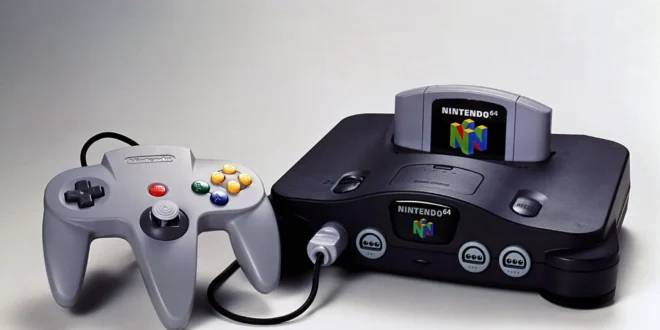
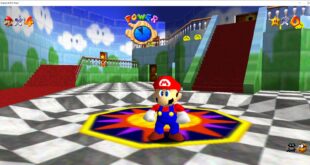
Nintendo 64 emulation on Android is one of the nicest ways to revisit a library that was built around short sessions, local multiplayer, and games worth replaying. A phone, tablet, or handheld with a proper controller can make Mario Kart 64, Star Fox 64, F-Zero X, and lengthy adventures such as The Legend of Zelda: Ocarina of Time remarkably convenient to return to.
It is also a platform where expectations matter. The N64 was unusual hardware, and individual games can behave very differently under emulation. A game that boots and looks sharp at a higher resolution may still have a visual effect, audio quirk, or timing issue that calls for a different setting. The best Android setup is therefore not simply the app with the longest feature list: it is the one you are willing to configure once, pair with a controller, and use comfortably.
Our short list
Mupen64Plus FZ is the practical first choice for players who want a dedicated N64 app with controller profiles and room to tune individual games. RetroArch is the better fit for people building one library across several classic systems, especially if they value shared controls, shaders, and a consistent interface. MegaN64 is worth considering as a more stripped-back route for casual play, though its simpler approach also means fewer ways to solve a troublesome game.
All three trace their N64 heritage to Mupen64-based emulation. That is not a guarantee that every title will behave identically: graphics plugins, rendering choices, device hardware, and per-game settings still matter. For the underlying architecture and why plugins remain relevant, see our Mupen64Plus profile.
What actually matters in an Android N64 emulator
Raw speed is only one part of the picture. Most reasonably capable modern Android hardware can handle a great deal of the N64 library at its original rendering target, but difficult games may expose problems that are not fixed by a faster processor. Accurate fog, framebuffer effects, unusual texture behavior, and timing-sensitive scenes have historically separated an acceptable experience from a convincing one.
Compatibility and per-game controls
A useful N64 emulator lets you adjust settings for one game without disrupting the rest of your library. This is more important than endlessly changing global options. If a title needs a different graphics setting to show an effect correctly, save that choice to its own profile, test it, then leave your working games alone.
Look for dependable save-state support, ordinary in-game memory-card-style saves where applicable, and an easy way to resume play. Save states are excellent for quick handheld sessions, but keep the game’s normal save file as well. States can become inconvenient after changing an emulator, core, or configuration.
Controls are not optional on N64
The original controller’s central analog stick, distinctive face-button layout, and extra triggers make N64 games a poor match for glass-only controls. Touch overlays are fine for checking a menu, turn-based titles, or a brief test, but games that demand precise movement or rapid aiming benefit enormously from a physical pad.
Use a Bluetooth or USB controller with two analog sticks and enough shoulder buttons. Map the N64 analog stick first, then make sure the C-buttons are easy to reach. Many players put C-buttons on the right analog stick, which works well for camera movement in some games; others prefer face-button mappings for titles that expect quick C-button presses. There is no universal best layout, so save a game-specific profile when one title needs a different arrangement.
Resolution is a tradeoff, not a free upgrade
Upscaling can make N64 geometry and interface elements look wonderfully clean on a modern screen. Start conservatively, confirm the game runs and renders correctly, and raise the internal resolution gradually. A phone’s small display rarely rewards chasing the highest possible multiplier, while a tablet or TV may reveal the benefit more clearly.
Do not confuse a sharper image with total accuracy. Some games rely on the N64’s original low-resolution look, blur, fog, or framebuffer tricks. If an image loses an effect, shows missing elements, or develops glitches after upscaling, lower the resolution and try a renderer or plugin option intended for compatibility before assuming the game is broken.
1. Mupen64Plus FZ: best dedicated choice for most players
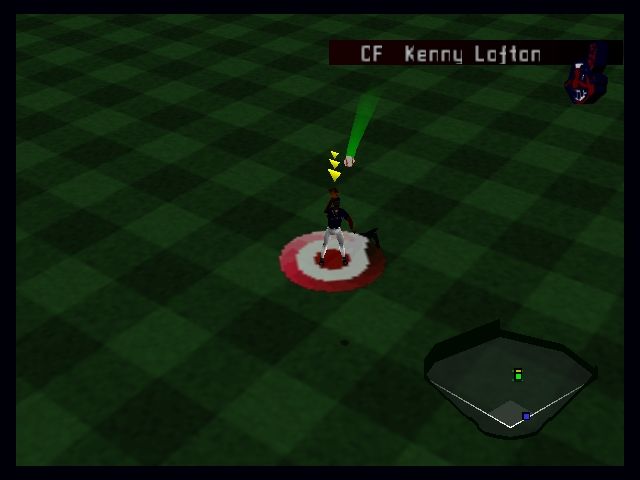
Mupen64Plus FZ is the most sensible place to begin if N64 is your main interest. It is built around the Mupen64Plus family and emphasizes the things Android players need: external-controller support, game-specific configuration, and access to settings that can help with demanding titles.
Its greatest strength is control. Rather than forcing one compromise across every cartridge, you can build a sensible default and make small exceptions. That is valuable for a system where one game can be happy with a fast graphics path while another needs a more careful choice. It also makes Mupen64Plus FZ a strong option for players moving between a phone, tablet, Android TV-style device, or dedicated Android handheld.
Who should choose it
Choose Mupen64Plus FZ if you want a dedicated N64 library, use a physical controller, and do not mind spending a little time learning its menus. It is especially appealing when you want distinct controller layouts or graphics settings for different games rather than a single all-purpose preset.
What to expect
The interface and number of options can feel more technical than a casual player expects. That complexity is useful only when you need it. Begin with the default profile, add your games, map a controller, and test a familiar title. Only investigate video and plugin settings if you encounter a real problem. Randomly changing several settings at once makes troubleshooting much harder.
If a game is running poorly, first return its internal resolution to a modest setting. Then test one graphics option at a time, restarting the game between changes when necessary. Keep a note of the profile that works. This slow, boring method is much more reliable than copying a sweeping “best settings” recipe intended for a different device.
2. RetroArch: best for a unified retro library
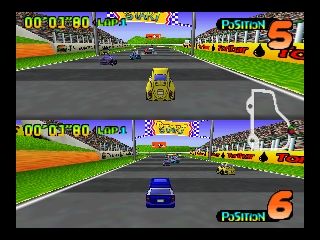
RetroArch is not just an N64 emulator. It is a frontend that organizes multiple emulation cores under one interface. For Nintendo 64, its Mupen64Plus-Next core provides a Mupen64Plus-oriented route with renderer and plugin-related options exposed through libretro’s system of core settings. Our Mupen64Plus-Next profile explains that role in more detail.
The appeal is consistency. One controller setup can span N64, 8-bit and 16-bit machines, arcade hardware, and handhelds. You can use common playlists, remapping tools, overlays, shaders, save-state behavior, and—where supported by the relevant service and game—achievement features. If you are also assembling a portable Game Boy Advance library, our guide to the best GBA emulators for Android is a useful companion.
Where RetroArch excels
RetroArch is excellent for the player who enjoys maintaining a single, carefully organized setup. Its core options can be saved at several levels, allowing broad defaults and title-specific overrides. It also gives tinkerers a clear way to compare approaches without installing a different standalone app for every system.
The catch: its learning curve is real
RetroArch asks you to understand a few concepts: the frontend, the core that runs a system, content scanning or manual playlists, and configuration overrides. None is impossible, but the terminology can make a five-minute task feel like a project. A newcomer who only wants to play two N64 games may be happier with Mupen64Plus FZ.
For N64, avoid changing every core option before you have verified a baseline. Load the game with a suitable N64 core, configure your controller, play long enough to reach a representative scene, then make one targeted adjustment if needed. Save overrides deliberately—per game when solving a game-specific issue, or at a wider level only when you genuinely want that behavior everywhere.
3. MegaN64: a simpler, lighter route

MegaN64 has been presented as a streamlined Mupen64-based option. Its appeal is straightforward: less emphasis on deep configuration, more emphasis on opening a game and playing. That can be exactly right for someone revisiting a handful of favorites and unwilling to navigate a dense set of emulator menus.
The tradeoff is equally straightforward. When a game needs careful graphics, input, or performance tuning, a simpler frontend gives you fewer levers to pull. Device-to-device performance can also vary. Treat MegaN64 as a convenience choice rather than the answer to every compatibility problem; if a particular title misbehaves, try it in a more configurable Mupen64Plus-based setup before giving up on the game.
A sensible first-time setup
- Install one emulator first. Start with Mupen64Plus FZ for a dedicated N64 machine, or RetroArch if you already use it for other consoles. Avoid installing several apps and copying settings blindly.
- Prepare your own game dumps. Organize legally created backups from cartridges you own in a folder you can find easily. Use clear filenames and keep a separate backup of your save data.
- Pair a controller before mapping buttons. In Android’s Bluetooth settings or through USB, confirm the controller is recognized. Then map its inputs inside the emulator and test analog range in a game with free movement.
- Begin at standard settings. Use the default graphics configuration and a modest rendering resolution. Test a familiar title for several minutes, including gameplay rather than only its opening screen.
- Make changes in isolation. If there is stutter, bad audio, or a visual error, change one relevant setting, retest, and save a per-game profile only after you have found an improvement.
- Plan for a larger display. For TV play, use a stable controller connection and consider a wired option if you notice input lag. Upscaling is more worthwhile on a television, but compatibility should still come first.
Performance and display advice
Start by aiming for stable gameplay at the original target rather than treating every N64 game as a showcase for aggressive upscaling. A locked, responsive experience at a modest resolution is better than a beautiful image that intermittently stutters. Heat can also affect long mobile sessions, so test a demanding game for more than a few minutes before declaring a configuration successful.
On a phone, reduce overlay clutter and prioritize the active play area. On a tablet, a carefully placed touch layout can be more workable, though a controller is still preferable. On a television, remember that the original N64’s image was shaped by analog displays; modern sharpness can make rough edges obvious. Mild scaling and a restrained visual treatment often look better than piling on filters.
For multiplayer classics, test every controller in advance and verify that each pad is assigned to the intended N64 port. Four-player games are a wonderful use for Android hardware connected to a larger screen, but Bluetooth congestion, battery management, and awkward controller assignments can spoil the occasion if left until guests arrive.
Use your own games responsibly
Emulators are software; game data is separate. The responsible route is to create personal backups from N64 cartridges you own, using suitable hardware and software, and retain those original cartridges. Rules about copying and personal backups vary by country, so check the law where you live.
Do not download copyrighted ROMs from unauthorized sites, share game files you do not have the right to distribute, or rely on “complete library” packs. N64 emulation generally does not require a downloaded console BIOS, so there is no reason to seek one from dubious sources. Keep your dumps private, label them clearly, and back up your save files separately from the games themselves.
FAQ
Which Android N64 emulator should I try first?
Try Mupen64Plus FZ if you want a focused N64 app with meaningful per-game tuning. Choose RetroArch if you already want one interface for several systems and are comfortable learning its core-and-override structure.
Why does one N64 game work while another has graphical problems?
N64 games used the hardware in varied and sometimes unusual ways. The likely solution is a game-specific renderer, plugin, or graphics setting—not necessarily a more powerful device. Change one setting at a time and preserve the working profile.
Can I play comfortably with touch controls?
You can, particularly for slower games, but the N64 controller’s analog stick and C-buttons make a physical controller the much better long-term option. It improves movement, camera control, and multiplayer alike.
Should I always turn up the resolution?
No. Increase it only after confirming that the game is stable and visually correct. Some titles look excellent upscaled; others benefit more from compatibility-focused settings.
Final verdict
For most Android players in 2026, Mupen64Plus FZ is the strongest starting point because it combines a dedicated N64 focus with the settings needed to handle the system’s occasional quirks. RetroArch earns its place when N64 is part of a broader, curated retro collection, while MegaN64 remains a reasonable low-fuss choice for casual sessions.
Use your own cartridge backups, play with a real controller, and resist the urge to over-tune a game that already works. The N64 library rewards that practical approach: get a stable baseline, make only the adjustments that solve a visible problem, and spend the rest of the time playing the games rather than configuring them.
More Android Emulator Guides
Choose the system you want to play. These guides compare Android options and link to the matching emulator profiles.



12 comments
Pingback: Best Commodore 64 Emulators for Android in 2025 | Retro Replay
Pingback: Best Neo Geo Emulators for Android in 2026 - Retro Replay
Pingback: Best Sega Saturn Emulators for Android in 2026 - Retro Replay
Pingback: Best Wii Emulators for Android in 2025 | Retro Replay
Pingback: Best Android Emulators in 2026: The Complete System-by-System Guide - Retro Replay
Pingback: Best Amiga Emulators for Android in 2025 | Retro Replay
Pingback: Best GameCube Emulators for Android in 2025 | Retro Replay
Pingback: Best MSX Emulators for Android in 2025 | Retro Replay
Pingback: Best Neo Geo Pocket Emulators for Android in 2025 | Retro Replay
Pingback: Best Atari Emulators for Android in 2026 | Retro Replay
Pingback: Best Dreamcast Emulators for Android in 2026 | Retro Replay
Pingback: Best SNES Emulators for Android in 2026 | Retro Replay